a plain-English guide
Aesthetic icons, free: pastel, coquette, kawaii and more
Seven soft, cute icon styles for a Notion workspace, a slide deck or a phone home screen, how to pick one mood and keep it, and the honest steps for custom app icons.
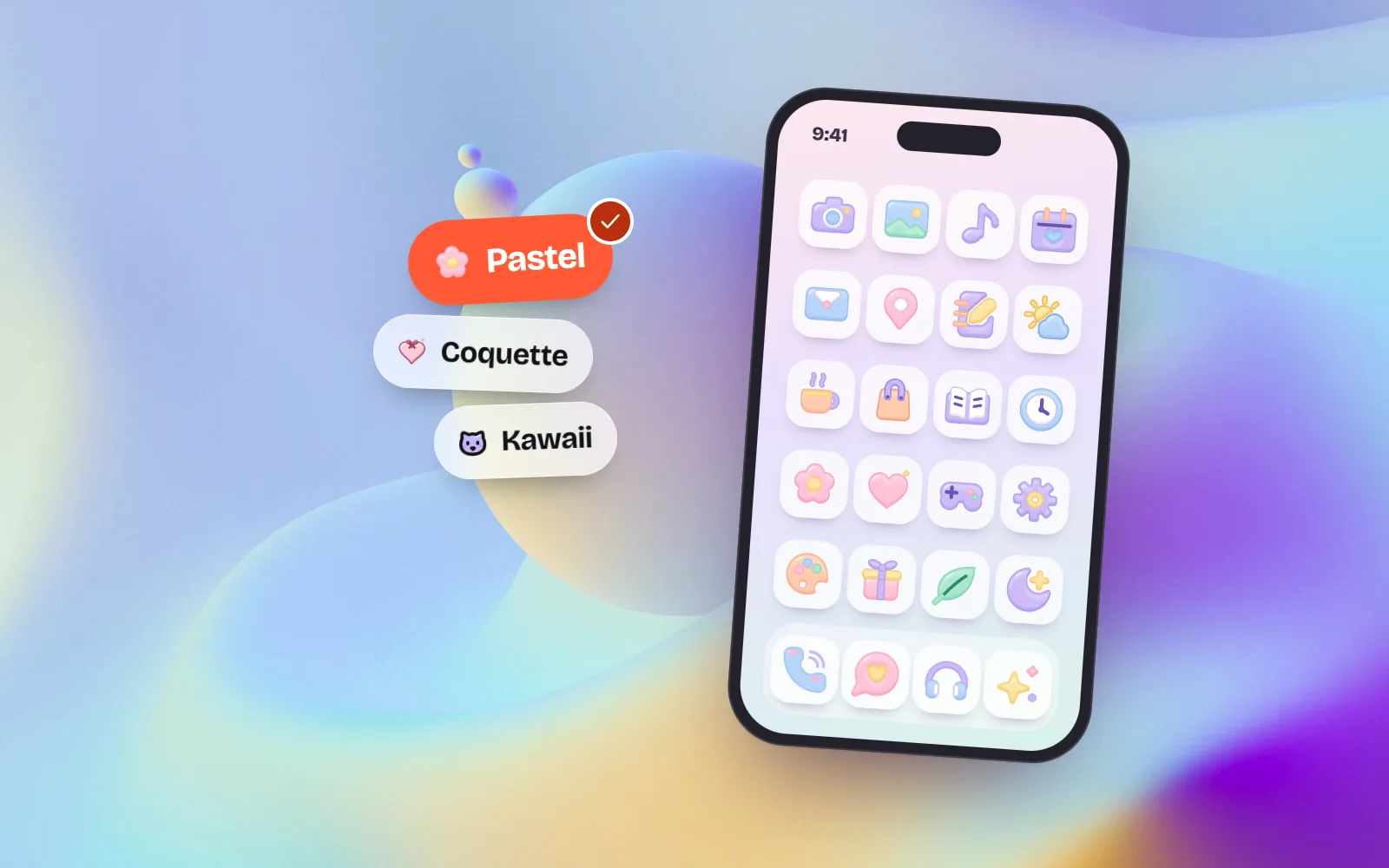
- Aesthetic icons are soft, matching icons that set a mood. with icons has seven aesthetic styles among its 34: pastel, coquette, kawaii, plush, soft 3D, clay and sticker, free under MIT with no credit.
- Pick one mood and stick to it: one style, one recurring colour palette, one size and one background for the whole page, deck or home screen.
- Notion: download a square PNG (Notion suggests 280 x 280 pixels, so 512 px is safe), then Add icon, Upload. Pick a mid-tone colour so it shows in dark mode.
- iPhone: make a Shortcut with the Open App action, then Add to Home Screen and choose your PNG as the icon. It opens the app directly, with a small Shortcuts banner. Android: use a launcher that supports custom icons.
- Where we are weaker: we draw no brand logos, so there is no Instagram or Spotify icon. Use an everyday object instead (a camera, a music note).
On this page 10 sections
Aesthetic icons are soft, matching icons that give a Notion page, a slide deck or a phone home screen one clear mood: dreamy pastel, pink coquette, cute kawaii, cosy plush or glossy 3D. You can get them free from with icons in seven aesthetic styles, as PNG or SVG, with no credit. The trick is to pick one style and one palette and use it everywhere.
Below you will meet each aesthetic style with real icons, how to choose a mood and keep it, and step-by-step routes for Notion, slides, iPhone and Android. Every icon here comes from with icons, where 1000 icons are drawn once and rendered in 34 styles (34,000 SVGs), so a pastel cloud and a coquette cloud really are the same cloud. Platform steps were checked on Apple, Google and Notion’s own help pages in November 2026.
What are aesthetic icons?
“Aesthetic” has become shorthand for a look that is calm, curated and a little dreamy. Aesthetic icons share a few things: soft or candy colours, rounded shapes, gentle shading and a set where every icon clearly belongs to the same family. They are less about function and more about how a space feels when you open it.
They are not meant for dense app toolbars. For that, plain line and solid icons read faster. If you want the wider family of fun styles, including pixel, retro and bauhaus, read cute and playful icon styles.
Which aesthetic icon style fits your mood?
| Mood | Style | Looks like | Lovely for |
|---|---|---|---|
| Calm and dreamy | Pastel | Soft colour fields in lavender, peach, mint, baby blue, butter and blush | Planners, journals, study notes, wellness |
| Romantic and pink | Coquette | Blush satin objects with ribbon bows, pearls, lace and gold | Beauty, boutiques, birthdays, weddings |
| Cute and happy | Kawaii | Chubby pastel shapes with a tiny blushing face | Journals, kids, cafés, social posts |
| Cosy and huggable | Plush | Stuffed felt toys with stitched seams and buttons | Kids, nurseries, bedtime stories |
| Glossy and modern | Soft 3D | Studio-lit 3D objects at a gentle angle | Home screens, launches, onboarding |
| Puffy and tactile | Clay | Plump matte clay shapes with a soft ground shadow | Home screens, AI apps, empty states |
| Loud and Y2K | Sticker | Die-cut stickers with a puffy white border and sparkles | Stories, scrapbooks, merch, wallpapers |
Pastel: the calmest one
Pastel is the easiest aesthetic style to live with every day, because nothing shouts. It suits a study Notion, a self-care planner or a soft home screen. Get the whole set on the free pastel icons page.
Coquette: bows and pearls
Coquette turns everyday objects into keepsakes. It is the style for a beauty brand’s highlights, a birthday invite or a pink phone theme. See them all on the free coquette icons page.
Kawaii: tiny faces
Kawaii is Japanese for cute. Here every icon is chubby, softly outlined and smiling, which makes a set feel like a little family. The Kawaii style hub shows every kawaii icon, and the free cute icons page has a starter set to copy.
Plush: felt toys
Plush looks sewn rather than drawn. It is cosy and warm, made for kids’ spaces, nursery planners and gentle bedtime themes.
Soft 3D and clay: aesthetic app icons
These two have the most depth, so they look best as aesthetic app icons on a phone, where each icon sits on its own. Soft 3D is glossy and polished; clay is matte and toy-like. The free app icons page has ready-made app tiles at up to 1024 px.
Sticker: Y2K energy
Sticker is the loudest aesthetic style. Its die-cut border makes icons pop on top of photos, so it works for story highlights, scrapbook pages and a playful home screen over a busy wallpaper.
How do you keep an aesthetic icon set consistent?
An aesthetic only works when it is consistent. One off-style icon breaks the spell faster than any other mistake. Four simple rules:
- One style. Choose pastel, or coquette, or clay, and use only that style in one space.
- One palette family. Many icons share recurring palettes, such as Pastel dream, Soft pastel and Cotton candy. Pick the same one on each icon where you can.
- One size. Download every PNG at the same size, so nothing looks bigger or blurrier than its neighbours.
- One background. Keep the page, slide or wallpaper calm, so the icons do the talking.
Pick coquette for your whole Notion dashboard, use the same palette on every page icon, and download each one at 512 px.
Mix a kawaii cat, a sticker star and a clay clock on one home screen. Each pulls the eye in a different direction.
Because every style comes from the same drawing, changing your mind later is easy: switch the whole set from pastel to kawaii and the shapes stay the same. More on this in how to keep your icons consistent.
How do I use aesthetic icons as Notion page icons?
- 1Download a square PNG
Open an icon page or the free Notion icons page, choose your style and a mid-tone colour, and download a PNG at 256 or 512 px.
- 2Open the icon menu
In Notion, hover over the top of the page and click Add icon (or click the existing icon).
- 3Upload it
Switch to the Upload tab and choose your file. Notion’s help centre says uploaded icons should ideally be 280 x 280 pixels, so a 512 px square scales down cleanly.
- 4Repeat for callouts
Click the icon at the start of a callout block and upload in the same way.
How do I make aesthetic app icons on iPhone?
iPhone does not let you replace an app’s own icon, but the Shortcuts app can put a new icon on your Home Screen that opens the app. These steps follow Apple’s Shortcuts guide.
- 1Save your icon
Download a PNG at 1024 px from an icon page and save it to Photos or Files. The app icons page has ready-made tiles.
- 2Make a shortcut
Open Shortcuts, tap + to create a new shortcut, add the Open App action and choose the app you want to open.
- 3Add it to the Home Screen
Open the shortcut’s Details and tap Add to Home Screen.
- 4Choose your icon
Tap the icon under Home Screen Name and Icon, then Choose Photo or Choose File and pick your PNG. Type the name you want under it, then tap Add.
- 5Tidy up
Touch and hold the original app icon, tap Remove App, then Remove from Home Screen. The app moves to the App Library; it is not deleted.
How do I change app icons on Android?
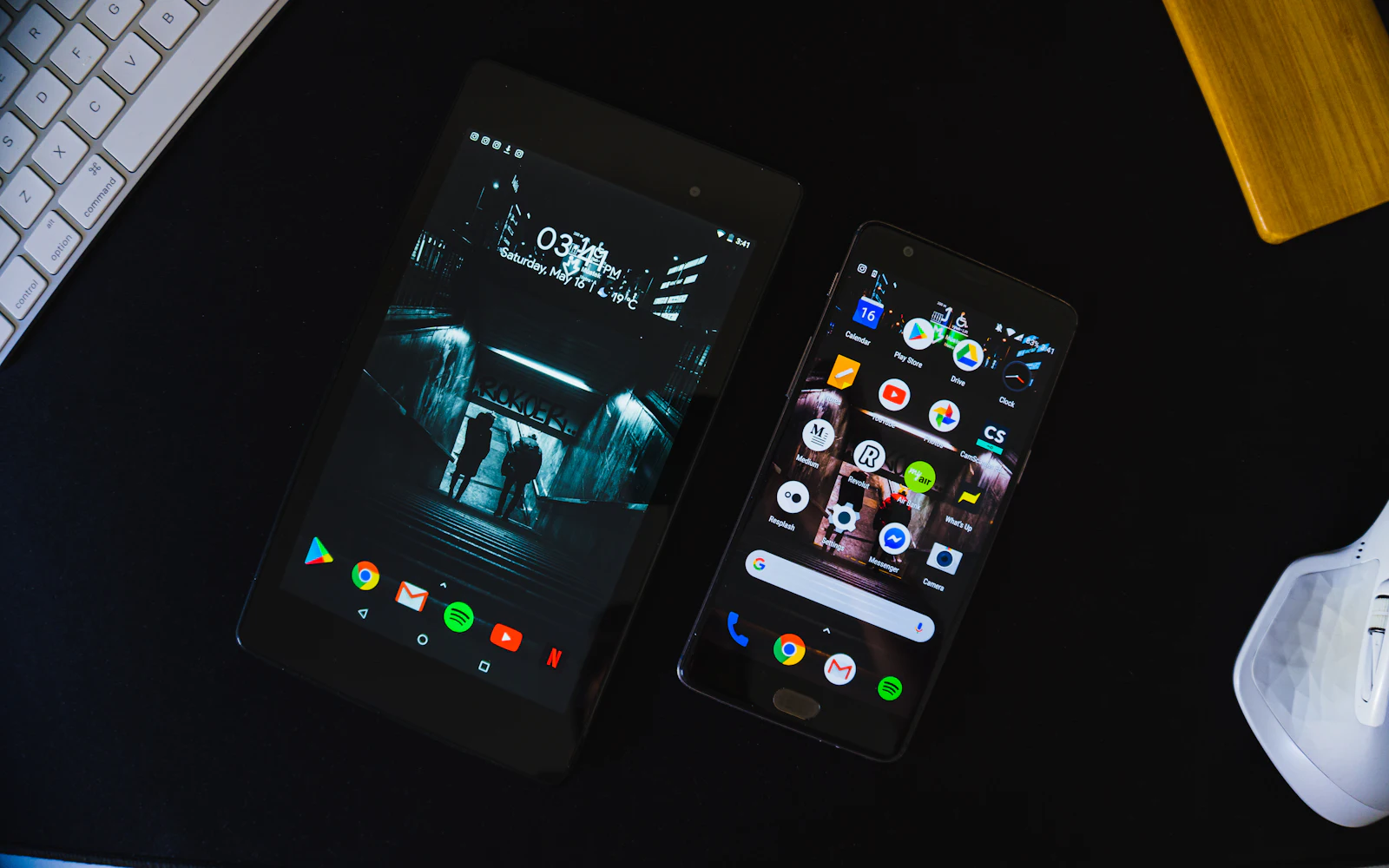
Android varies by phone maker. Google’s Pixel help pages cover icon size and Home screen layout, but not choosing your own picture for an app. The usual route is a launcher, an app that replaces your home screen:
- 1Install a launcher
Pick a launcher from Google Play that supports custom icons. Read its reviews before you install it.
- 2Make it your home app
Open Settings, then Apps, then Default apps, and choose the launcher as your home app. Menu names differ a little between phones.
- 3Change each icon
In most launchers you touch and hold an app, choose edit, tap the icon and pick your PNG.
For the sizes and shapes real app icons need, see app icon vs UI icon.
Can I use aesthetic icons in slides?
Yes, and they are at their best there, big and few. On any icon page, press Copy image and paste it into Google Slides, PowerPoint or Keynote. Use three to five icons per slide in one style, at 64px or larger, so faces, bows and stitches stay visible. Our guide to icons in presentations and the Google Slides guide show the details.
How do colour palettes keep aesthetic icons matching?
Each icon comes with 20 to 30 hand-picked colour palettes, and one palette recolours every multi-colour style at once. Choose a palette on the icon page or in the studio before you download, and the PNG or SVG keeps those colours. To make a set feel like yours, borrow one colour from the palette for your Notion headings, slide titles or wallpaper.
What are aesthetic icons not good for?
- Brand logos. We draw no logos, so there is no Instagram, TikTok or Spotify icon. Use an everyday object instead: a camera, a music note, a chat bubble. If you need exact logos in pink, a paid themed pack is the honest answer.
- Tiny sizes. Faces, bows and shadows need room. Keep them at 32px or larger.
- Serious messages. A smiling icon on a payment error feels wrong. Keep plain line icons for warnings.
Frequently asked questions
Where can I get free aesthetic icons?
with icons has 1000 icons in 34 styles, including pastel, coquette, kawaii, plush, soft 3D, clay and sticker. Open any icon page, switch to the style you like, try a colour palette, then copy it or download a PNG or SVG. Everything is MIT licensed, free for personal and commercial use, with no credit needed.
How do I change app icons on my iPhone?
Open the Shortcuts app, make a new shortcut with the Open App action and choose the app. Then open the shortcut’s Details, tap Add to Home Screen, tap the icon and pick your image with Choose Photo or Choose File, and tap Add. You can remove the original icon from the Home Screen; the app stays in the App Library.
Does a custom Shortcuts icon open the Shortcuts app first?
Not since iOS 14.3, according to reports when that update shipped: the icon opens the app directly, but a small Shortcuts banner appears at the top of the screen. Older iOS versions opened the Shortcuts app first. Behaviour can change between iOS versions, so test one icon before redoing your whole screen.
What size should a Notion page icon be?
Notion’s help centre says uploaded page and callout icons should ideally be 280 x 280 pixels. A square transparent PNG at 256 or 512 px works well. Notion cannot recolour images, so download the colour you want.
Can I change app icons on Android?
It depends on your phone. Google’s Pixel help pages cover icon size and layout, but not custom images for apps. The usual route is a launcher app from Google Play that supports custom icons; set it as your default home app in Settings, then touch and hold an app to edit its icon.
Are coquette and kawaii icons free for commercial use?
Yes, with icons is MIT licensed, so you can use the icons in client work, shop listings, printables and apps with no credit. Anyone can use the same icons, so recolour them with a palette if you want yours to feel unique.
Sources and notes
- Apple Support: Add a shortcut to the Home Screen on iPhone or iPad (checked November 2026)
- Apple Support: Create a custom shortcut on iPhone or iPad
- Apple Support: About share actions in Shortcuts (Open App)
- Apple Support: Remove or delete apps from iPhone (Remove from Home Screen)
- MacStories: Custom shortcut icons no longer open the Shortcuts app first (iOS 14.3)
- Pixel Phone Help: Set or clear default apps
- Pixel Phone Help: Add apps, shortcuts and widgets to your Home screens
- Notion Help: Style and customize your page (page and callout icons, 280 x 280)
- with icons license (MIT)
Facts about other icon sets were checked against their official sites in November 2026. Libraries change, so check the links above for the latest numbers.