an honest comparison
The best animated icon libraries in 2026, honestly compared
Lordicon, LottieFiles, useAnimations, animated Lucide sets and more. What each one costs, which file format it uses, whether you must give credit, and which to pick for your project.
- Richest motion: Lordicon. Over 49,000 hand-animated Lottie icons, 9,700+ of them free with a credit to the author; PRO costs $8 a month billed yearly and removes the credit.
- Free, no credit, for React: useAnimations (300 Lottie micro animations, MIT) and lucide-animated (350+ Lucide icons animated with Motion, MIT, installed with the shadcn CLI).
- Most variety: LottieFiles (free animations under the Lottie Simple License, credit not required) and IconScout (1.6M+ Lottie animations, free ones need a credit). Icons8 has 7,800 animated icons, free with a link.
- Every icon moving, in every style: with icons (our own set). All 1000 icons have their own CSS motion in all 34 styles, plus GIF, MP4 and Lottie downloads for slides. MIT, no credit.
- Format matters more than brand: CSS or animated SVG is lightest for websites, Lottie suits rich app animation, GIF is the safe choice for slides and email.
On this page 9 sections
The best animated icon library depends on what you are making. Lordicon has the richest hand-made motion, useAnimations and lucide-animated are the best free picks for React, LottieFiles and IconScout have the most variety, and with icons is the one to choose if you want every icon in a set to move, in many styles, with no credit and no player script.
Below: one honest table, the file formats in plain words, a short review of each library and a way to choose. Still deciding whether to animate at all? Start with when animated icons help and when they hurt.
Which animated icon library is best?
| Library | Best for | Animated icons | Format | Free use | Paid plan |
|---|---|---|---|---|---|
| Lordicon | Rich, illustrated, hand-timed motion | Over 49,000 (9,700+ free) | Lottie, played by <lord-icon>; GIF, MP4, SVG and more | Credit the author | PRO $8/mo, billed yearly |
| LottieFiles | Huge variety from many creators | 2,077 free icon animations | Lottie JSON, dotLottie, GIF, MP4 | Credit not required | From $19.99/user/mo, billed yearly (tools) |
| IconScout | One shop for icons, 3D and Lottie | 1.6M+ Lottie animations (all kinds) | Lottie JSON, GIF, MP4, AEP | Credit required | From $14.99/user/mo, billed yearly |
| Icons8 | Animated icons that match Icons8 styles | 7,800 | GIF, Lottie JSON, After Effects | Link to icons8.com | Paid plans remove the link |
| useAnimations | Free Lottie micro interactions in React | 300 | Lottie JSON, static SVG, React | MIT, no credit | None, it is free |
| lucide-animated | Animated Lucide icons for shadcn/ui | 350+ | React components (Motion) | MIT, no credit | None, it is free |
| Animate UI | Animated shadcn/ui parts, icons included | Not stated | React components (Motion) | Free, but no reselling | None, it is free |
| with icons | Every icon moving, in every style | 1000, each in 34 styles | CSS (animated SVG); GIF, MP4, WebM, Lottie downloads | MIT, no credit | None, it is free |
Lottie, GIF or CSS: which animated icon format should you use?
The same moving bell can arrive in four very different files. The format decides how heavy the icon is, whether you can recolour it, and where it will play.
| Format | How it moves | Weight | Recolour | Plays in |
|---|---|---|---|---|
| CSS / animated SVG | The browser plays a few lines of CSS | Tiny. A with icons motion file is about 0.5 KB per icon | With CSS | Websites, web apps, Notion |
| Lottie (JSON) | A player script draws each frame | Medium: the file plus a player script | Via the player or an editor | Websites and apps, with a player |
| GIF | Still frames shown in a loop | Heaviest for its quality, no soft edges | Baked in | Slides, email, chat |
| MP4 / WebM | A short video | Medium, usually in a box | Baked in | Keynote, PowerPoint, social posts |
Lottie is an animation saved as a JSON data file, usually made in Adobe After Effects. It can hold detailed, hand-timed motion, which is why Lordicon and LottieFiles use it, but it needs a small player library to run. useAnimations says its React player is about 8 kB gzipped. CSS motion is a few instructions the browser already understands, so there is nothing extra to load. The trade-off is simpler moves: ring, beat, spin, float, nudge.
The animated icon libraries, one by one
1. Lordicon: best for rich, illustrated motion
The best-known animated icon library: over 49,000 icons, animated by hand in After Effects, 9,700+ of them free. On a website you use its free <lord-icon> player (npm @lordicon/element) with triggers like hover, click, loop and morph, and you can change colours and stroke weight. Exports include Lottie, GIF, MP4, SVG and PNG.
The catch: the free licence allows commercial use but requires credit to the author. PRO costs $8 a month billed yearly ($16 billed monthly). If detail and character matter most, Lordicon is the one to beat. Our Lordicon alternative page goes deeper.
2. LottieFiles: best for sheer variety
The home of the Lottie format and a huge community library. Its icons category listed 2,077 free icon animations when we checked, as Lottie JSON, dotLottie, GIF or MP4. Free public files come under the Lottie Simple License: commercial use allowed, credit encouraged but not required. Paid plans add editing, hosting and team tools.
The catch: the animations come from many creators, so ten icons may not match. Brilliant for one hero animation, less so for a whole interface.
3. IconScout: best when you also need 3D and illustrations
A large marketplace for icons, 3D assets, illustrations and Lottie. Its pricing page lists 1.6M+ animations in Lottie JSON, GIF, MP4 and After Effects formats, plus a colour editor. Its help centre says attribution is mandatory for free animations. The Individual plan is $14.99 per user a month billed yearly.
4. Icons8: best for animated icons that match Icons8 styles
Icons8 lists 7,800 animated icons in GIF, Lottie JSON and After Effects formats. They match its static styles. Free use requires a link to icons8.com; a paid plan removes it. Our Icons8 alternative page covers its licence in more detail.
5. useAnimations: best free Lottie icons for React
useAnimations offers 300 free micro animations as Lottie files, each with a built-in interaction (loop, click toggle, hover and so on). It is MIT licensed, attribution is appreciated but not required, and you can install icons with npm (react-useanimations), add them with the shadcn CLI or use the JSON in any Lottie player. Its docs also say what each interaction does when reduced motion is preferred, which few libraries spell out.
6. lucide-animated and Animate UI: best for shadcn/ui projects
If your app already uses Lucide through shadcn/ui, these feel native. lucide-animated describes itself as 350+ animated React icons based on Lucide and powered by Motion (the animation library once called Framer Motion). You add one icon at a time with the shadcn CLI, it animates on hover by default, and it is MIT licensed. Community ports exist for Svelte, Vue, Angular and Flutter.
Animate UI is a wider kit of animated shadcn/ui parts that includes Lucide icons animated with Motion, under MIT with the Commons Clause (use it in any product, but do not sell the components). Both need React, so they are not for slides or no-code sites.
7. with icons: best for every icon moving, in every style
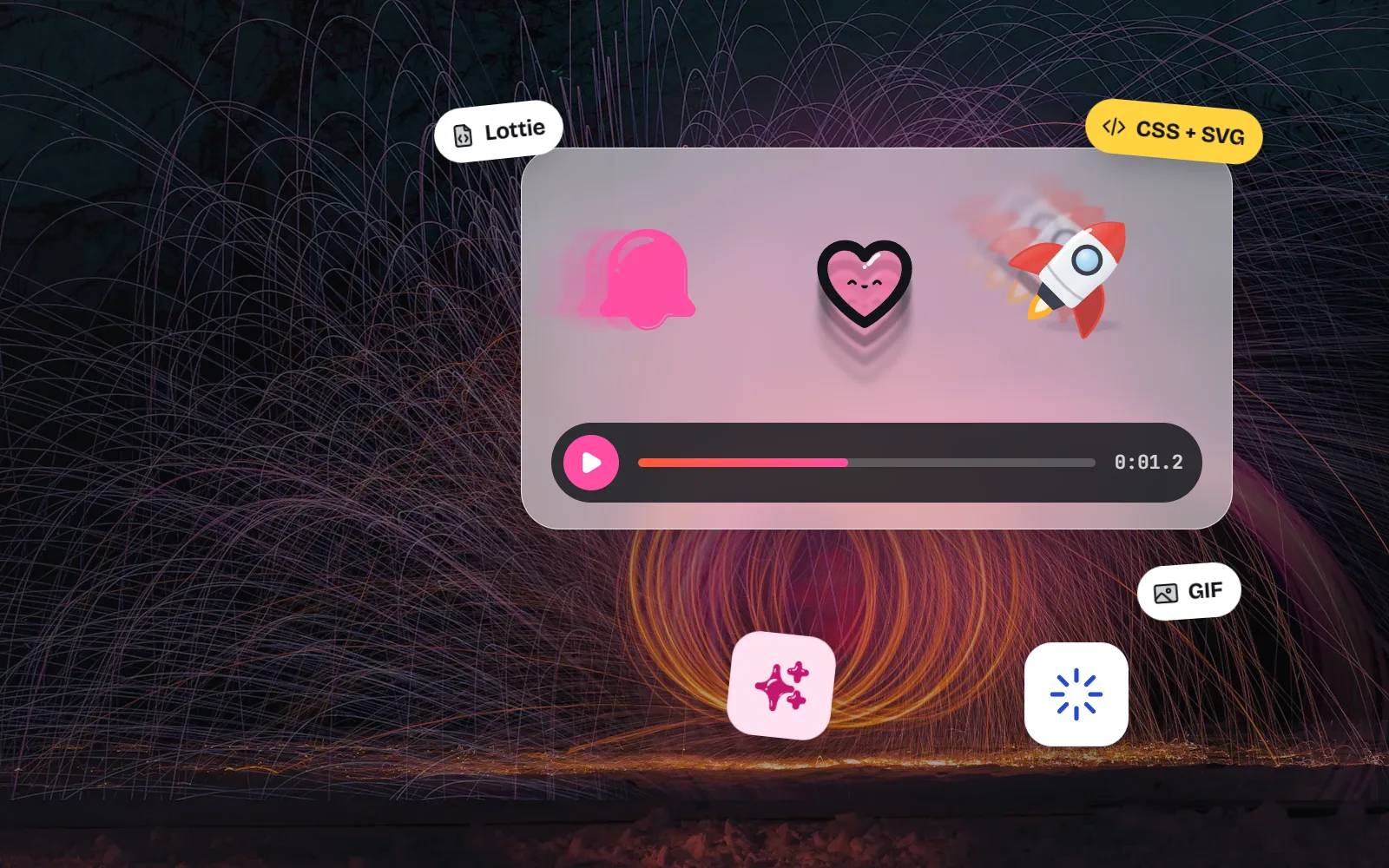
All 1000 of our icons come with their own motion that matches the meaning: the bell rings from its hook, the heart beats. The motion is plain CSS, so it works in every one of the 34 styles (34,000 SVGs), from simple line to glass and soft 3D. Icons can also turn into each other: play into pause, menu into close.
Every icon page downloads the moving version as animated SVG, GIF, MP4, WebM or Lottie, MIT with no credit. Developers add the optional @withicons/motion package.
What’s great
Every icon can move. All 1000 have their own loop and hover motion, so a whole interface animates in one consistent way.
Light and player-free. The motion is CSS, roughly half a kilobyte per icon, with no Lottie player to load.
No credit, ever. Icons, motion and downloads are MIT licensed for personal and commercial use.
What to keep in mind
Fewer icons. 1000 icons is small next to Lordicon, IconScout or Icons8, and there are no brand logos.
Simpler motion. CSS moves like ring, beat, spin and nudge cannot match a hand-animated Lordicon or LottieFiles illustration.
What is the best Lordicon alternative?
It depends on why you are leaving:
- You do not want to give credit: useAnimations, lucide-animated and with icons are MIT. Free LottieFiles animations do not require credit either.
- You build with React and shadcn/ui: lucide-animated or useAnimations drop straight in.
- You want the same illustrated, multi-colour look: IconScout and Icons8 are closest, but both ask for a credit or link on their free plans.
- You want every icon in a set to move, in many styles: with icons. See them all on the free animated icons page.
Are animated icons accessible?
They can be. Motion on screen makes some people dizzy or sick, so devices have a “reduce motion” setting that websites can read with prefers-reduced-motion. WCAG 2.2.2 also asks for a way to pause anything that moves on its own for more than five seconds.
useAnimations documents its reduced-motion behaviour, and @withicons/motion stops every animation when reduce motion is on. Lordicon and lucide-animated did not cover it in the docs we read, so test with the setting on. For CSS-animated icons, one rule does the job:
@media (prefers-reduced-motion: reduce) {
  .animated-icon { animation: none; transition: none; }
}
A Lottie player is a script, so that CSS rule cannot stop it: check the media query in your code and tell the player not to play. Our guide to accessible icons covers labels and contrast too.
When do animated icons help, and when do they hurt?
Motion helps when it means something (a tap worked, a state changed, something is loading) and hurts when it loops for decoration. Our post Animated icons: when they help, when they hurt covers it in depth. The one rule to keep:
Animate one or two icons per screen, on hover, tap or once, and let them come to rest.
Copy a demo page full of looping icons onto your site. Ten moving icons read as noise.
How do you get free animated icons right now?
- 1Pick your format first
Website: CSS or animated SVG. Rich app motion: Lottie. Slides and email: GIF. Video: MP4.
- 2Check the credit rule
Lordicon, IconScout and Icons8 want a credit or link on free plans. The others here do not.
- 3Try with icons in a minute
Open the free animated icons page, pick a style, and download the GIF for slides or copy the animated SVG for your site.
- 4Add motion in code if you need it
Follow the how to animate icons guide: install
@withicons/motionand add a class, or see every preset on the developer page.

Our picks, in one sentence each
- Lordicon for the richest illustrated motion, if you can credit or pay.
- LottieFiles for one special animation with no credit requirement.
- IconScout if you also need 3D icons and illustrations.
- Icons8 if you already use Icons8 styles and can link back.
- useAnimations for free MIT Lottie micro interactions in React.
- lucide-animated or Animate UI for shadcn/ui and Lucide apps.
- with icons for every icon moving in light CSS, in 34 styles, with no credit. For still icons, see the best free icon libraries.
Frequently asked questions
What is the best animated icon library?
It depends on the job. Lordicon has the richest, most illustrated motion but asks for a credit on its free plan. useAnimations and lucide-animated are free MIT sets for React. LottieFiles and IconScout have the widest variety. with icons animates all 1000 of its icons in 34 styles with light CSS, free with no credit.
Is Lordicon free?
Partly. Lordicon’s free plan includes 9,700+ animated icons that you can use commercially, but you must credit the author. The PRO plan ($8 a month billed yearly, or $16 billed monthly, when we checked in November 2026) removes the credit and unlocks the full library of over 49,000 icons.
What is a good free Lordicon alternative?
If you want free animated icons without a credit line, try useAnimations (MIT, Lottie), lucide-animated (MIT, React and Motion) or with icons (MIT, CSS motion in every style). LottieFiles also has free icon animations whose licence does not require credit. None of them matches Lordicon’s illustrated detail, so compare a few icons side by side.
Are Lottie icons better than animated SVG icons?
Not better, different. Lottie files can carry complex, hand-timed animation made in After Effects, but they need a player script on the page. Animated SVG or CSS icons are smaller and need no player, but the motion is simpler, like a ring, beat, spin or nudge. For most website buttons and menus, CSS motion is enough.
Do animated icons work in PowerPoint and Google Slides?
Yes, as GIFs. Slide apps do not run website code or Lottie players, so download the GIF (or an MP4 video for Keynote and PowerPoint). Lordicon, LottieFiles, IconScout, Icons8 and with icons all offer GIF downloads.
Do animated icon libraries respect reduced motion?
Some say so in their docs. useAnimations documents what each interaction does when reduced motion is preferred, and @withicons/motion stops everything under prefers-reduced-motion. For other libraries, test with your device’s reduce motion setting switched on before you ship.
Sources and notes
- Lordicon homepage (icon counts, export formats)
- Lordicon pricing
- Lordicon licences
- Lordicon web docs (lord-icon element, triggers)
- LottieFiles: free icon animations
- LottieFiles: Lottie Simple License
- LottieFiles pricing
- useAnimations
- lucide-animated
- lucide-animated on GitHub (pqoqubbw/icons)
- Animate UI: icons
- Animate UI on GitHub (licence)
- IconScout pricing (asset counts, formats)
- IconScout help: attribution for animations
- Icons8 animated icons
- Icons8 help: Do you have animated icons?
- Icons8 licence
- W3C: Understanding SC 2.2.2 Pause, Stop, Hide
- MDN: prefers-reduced-motion
- with icons license (MIT)
Facts about other icon sets were checked against their official sites in November 2026. Libraries change, so check the links above for the latest numbers.