a plain-English guide
Can you download a transparent PNG from Canva for free?
Short answer: not with Canva Free. Here is exactly which plans can, why your PNG still comes out white, the honest workarounds, and how to get transparent icons into Canva without paying.
- No, not on Canva Free. Canva’s help centre says downloading with a transparent background is only for Canva Pro, Teams, Business, Education and Nonprofits. SVG downloads are paid too.
- Free for some people: Canva Education is free for verified teachers, and Canva Nonprofits gives registered nonprofits Pro features for free.
- Canva Docs can never download with a transparent background, on any plan.
- On Free you can still upload transparent PNG and SVG files and use them in designs, or export on a flat colour and remove it in another app (with some edge cleanup).
- Need a transparent icon? Do not make it in Canva. Download it see-through from with icons (1000 icons, 34 styles, free) and upload it.
On this page 8 sections
No: Canva Free cannot download a PNG with a transparent background. Canva’s help centre says the Transparent background toggle is only for Canva Pro, Teams, Business, Education and Nonprofits, and that Canva Docs cannot do it on any plan. On Free you can still upload and use transparent PNG and SVG files inside your designs, and if what you need is a see-through icon, the easiest route is to download it transparent from an icon library and skip Canva’s export altogether.
Below: exactly who can download transparent PNGs, why the file still comes out white even on Pro, the honest workarounds for Free, and how to bring free transparent icons into Canva.
Can Canva Free download a transparent PNG?
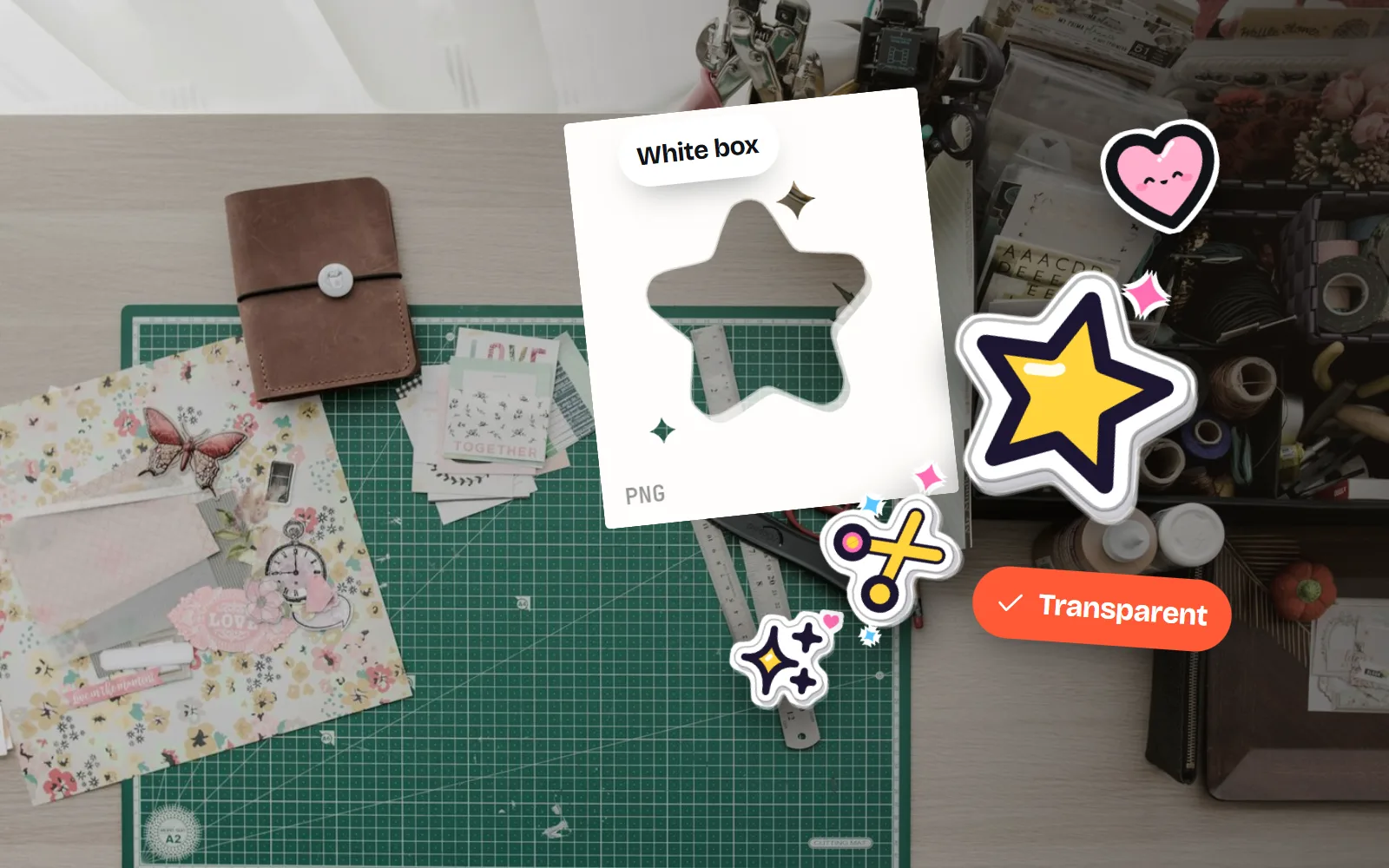
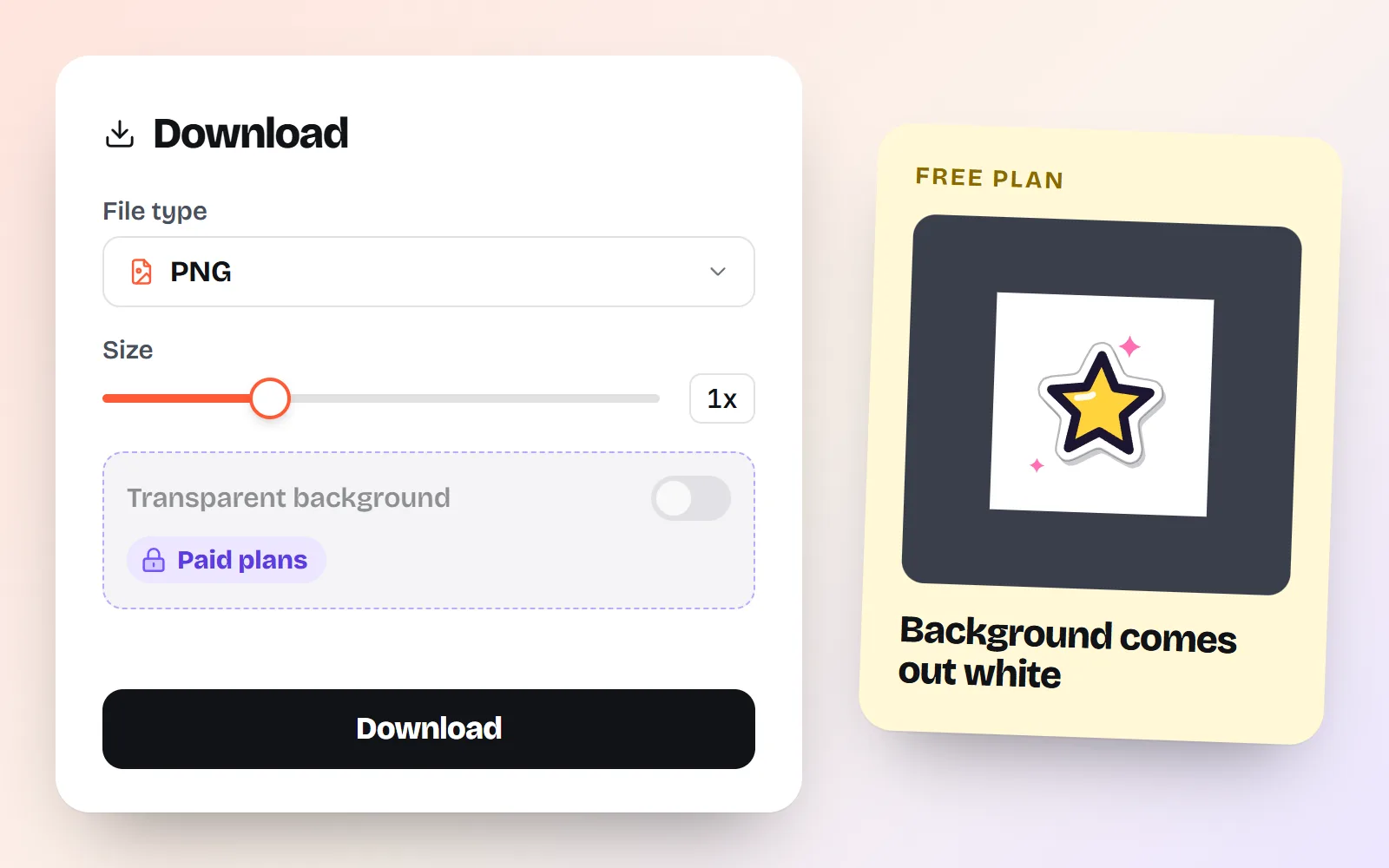
Not today. When you go to Share > Download and choose PNG on a Free account, the Transparent background option is locked behind a paid plan. Canva’s download help page lists transparent backgrounds alongside SVG downloads, bulk downloads and compressed files as options limited to paid plans.
That has been the rule for years, which is why so many pages answer this question. What they often get wrong is the workaround: some still suggest setting the background to “no colour” and downloading, as if that worked on Free. It does not. Setting the background to white or deleting it is a step in Canva’s instructions, but it only produces a transparent file when the paid toggle is on.
Which Canva plans can download transparent backgrounds?
| Plan | Transparent PNG | SVG download | Background Remover | Cost |
|---|---|---|---|---|
| Canva Free | Free | |||
| Canva Pro | Paid (free trial offered) | |||
| Canva Teams and Business | Paid | |||
| Canva Education | Free for verified teachers | |||
| Canva Nonprofits | Free for registered nonprofits | |||
| Canva Docs (any plan) | Never | n/a | n/a | - |
Two rows are worth a second look. Canva Education is free for teachers who sign up with an education email or upload proof of employment; Canva verifies them within a few days. Canva Nonprofits gives registered nonprofits all Pro features free for up to 50 people. If either fits you, this whole problem goes away.
If you only need a transparent export once, Canva offers a free trial of its paid plans on the download screen. That is a perfectly reasonable choice; just set a reminder before it renews.
Why does my Canva PNG still have a white background?
If you are on a paid plan and the file still has a box, Canva’s help page lists the usual suspects:
- The design still has a background. Delete any background image or element, or set the background colour to white, as Canva’s own steps say.
- The wrong file type. Only PNG (and SVG) can be transparent. JPG and PDF cannot.
- You are in Canva Docs. Docs cannot download with a transparent background on any plan.
- The toggle was off. Turn on Transparent background, and Save download settings if you want it remembered.
And if the box only appears after you paste the PNG somewhere else, the export was fine: the copy and paste dropped the transparency. Our guide Why does my transparent icon get a black or white background? explains why and how to fix it.
How do I get a transparent PNG out of Canva without Pro?
There is no hidden switch. These are the honest options, best first:
- 1If it is an icon or graphic, get it transparent at the source
Most “I need a transparent PNG” jobs are a single icon, badge or shape. Download that piece as a see-through PNG or SVG from a library like with icons, instead of exporting it from Canva. You get a clean file with no cleanup.
- 2Export on a flat colour, then remove it on your computer
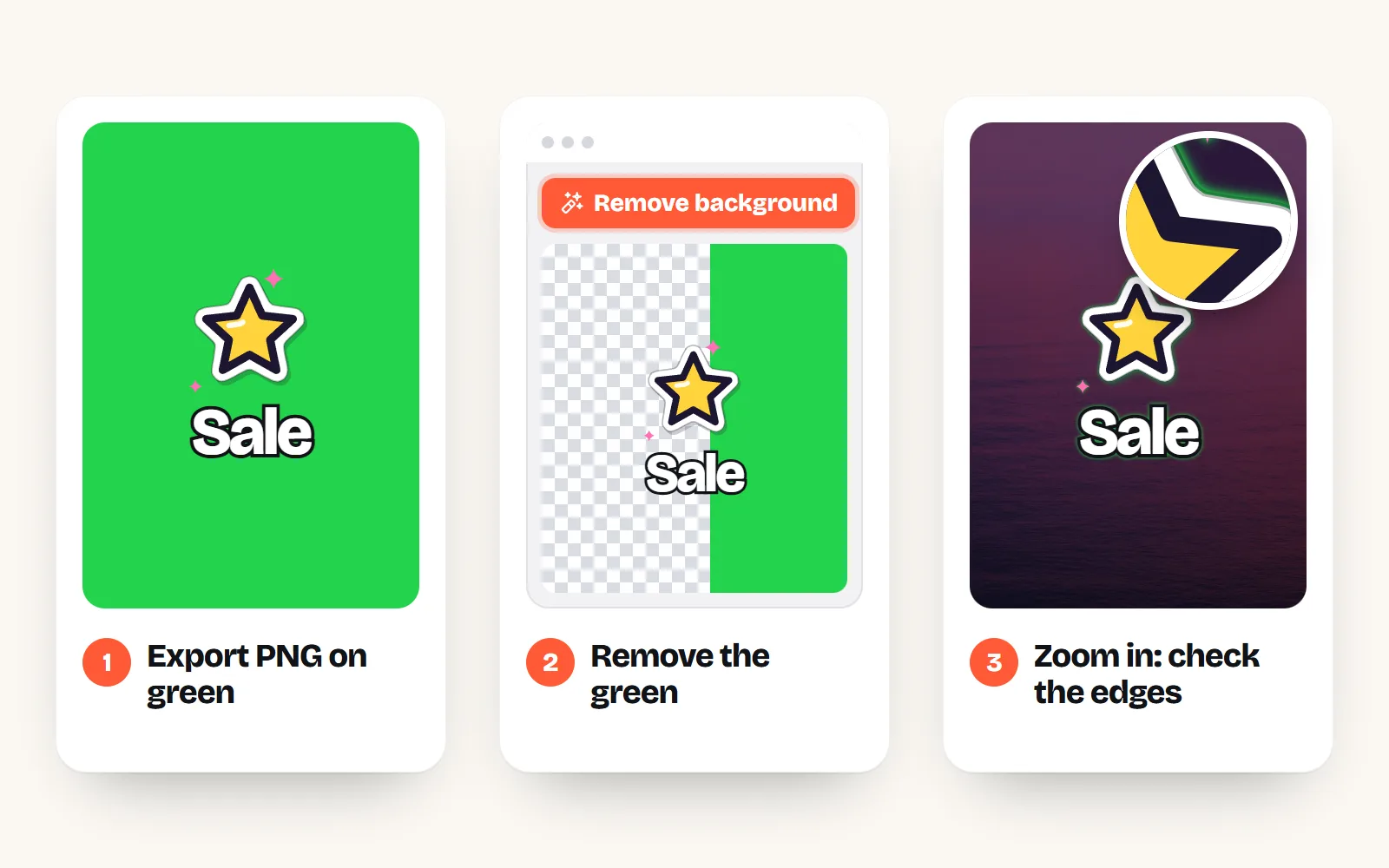
Download the design as PNG on a solid background that does not appear anywhere in the design (bright green works). Then open it in Windows Paint and click Remove background, or in Preview on a Mac and click Remove Background, and save as PNG. In PowerPoint or Word, Set Transparent Color can drop the green in one click.
- 3Check whether you qualify for a free plan
Teachers can verify for Canva Education, and registered nonprofits can apply for Canva Nonprofits. Both include transparent downloads.
- 4Use the trial for a one-off
If you need several transparent exports this week and none of the above fits, a trial of a paid plan is the simplest honest route.
A word on option 2. Exports are anti-aliased: the edges of text and shapes blend a little into the background colour to look smooth. When you remove the flat colour, those blended pixels can leave a thin coloured fringe. It is invisible on similar backgrounds and obvious on very different ones. Zoom in before you use it, and avoid it for anything with fine text.
Download the transparent pieces you need (icons, badges, shapes) as PNG or SVG and upload them into Canva, so the transparency is there from the start.
Rely on a green-screen export for logos or small text. The leftover fringe shows the moment the logo lands on a different background.
Do transparent PNG and SVG files stay transparent in Canva Free?
Yes, and this is the part Free does well. Upload a real transparent PNG or an SVG through Uploads and it keeps its see-through areas inside your design, so you can lay an icon over a photo, a gradient or a coloured box. The paid limit only applies when you download the whole design with nothing behind it.
Canva’s upload page lists a few limits for SVGs (under 3 MB, saved as SVG 1.1, with strokes expanded and simple fills). Icon SVGs are tiny and simple, so they upload without fuss.
How do I bring free transparent icons into Canva?
It takes about two minutes, and our step-by-step Canva guide walks through it with pictures: pick the icon and colour on with icons, download the SVG (or a see-through PNG), then in Canva use Uploads > Upload files and click the icon to add it. Our free icons for Canva page collects favourites that work well there.
Because they are free and MIT licensed, you can use them in client work, posts and printed products with no credit line. Want something more playful for social posts? The same icons come in 34 styles, from clean line to Sticker style and Kawaii style:
Using the icons in slides too? Our guide to icons in presentations covers sizes and styles that read well from the back of a room.
The short answer
Canva Free cannot download transparent PNGs; Pro, Teams, Business, Education and Nonprofits can, and Canva Docs never can. On Free, either get the transparent piece from its source (for icons, all 1000 with icons download see-through PNG or SVG for free), or export on a flat colour and remove it in Paint, Photos, Preview or PowerPoint, checking the edges. Turning an icon you already have into a vector? See how to convert a PNG to SVG.
Frequently asked questions
Can I make a transparent background in Canva for free?
You can design with transparent elements on Canva Free, but you cannot download the design with a transparent background. That toggle is only on Pro, Teams, Business, Education and Nonprofits plans. On Free, a PNG download comes out with a background, white by default.
Why is the transparent background option greyed out in Canva?
Canva lists three reasons: you are not on a paid plan, you have not chosen PNG as the file type, or you are in Canva Docs, which cannot download transparent backgrounds at all. On a paid plan, choose PNG and the toggle appears.
Why does my Canva PNG still have a white background on Pro?
Turning on the toggle is not enough if the design has a background. Canva says to set the background colour to white or delete any background image or element first, then download as PNG with Transparent background switched on.
Is Canva’s background remover free?
No. Canva’s help centre says Background Remover is included with paid plans. On Free, use a background remover on your computer instead, such as Remove background in Windows Paint or the Remove Background button in Preview on a Mac.
Do transparent PNGs stay transparent when I upload them to Canva Free?
Yes. A real transparent PNG or an SVG keeps its see-through areas inside your Canva design, so you can place it over photos and colours. Only the final download of the whole design needs a paid plan to be transparent.
How do I get free transparent icons into Canva?
Download the icon as an SVG or a see-through PNG from a free library like with icons, then in Canva open Uploads, choose Upload files, and click the icon to add it. Filled SVG styles can be recoloured inside Canva.
Sources and notes
- Canva Help: Download design with transparent background (plans, Canva Docs), checked Nov 2026
- Canva Help: Download or save designs (transparent background and SVG are paid options), checked Nov 2026
- Canva Help: Choose the right download file type, checked Nov 2026
- Canva Help: Remove photo and video backgrounds (paid plans only), checked Nov 2026
- Canva Help: Upload formats and requirements (PNG, SVG), checked Nov 2026
- Canva Education (free for verified teachers), checked Nov 2026
- Canva Nonprofits (Pro features free for registered nonprofits), checked Nov 2026
- Microsoft Support: Make a picture transparent in Word (Set Transparent Color), checked Nov 2026
- Apple Support: Remove a background in Preview on Mac, checked Nov 2026
- Windows Insider Blog: Background removal in Paint (7 Sep 2023)
Facts about other icon sets were checked against their official sites in November 2026. Libraries change, so check the links above for the latest numbers.