design basics, explained
Emoji vs icons: which should you use, and can you use emoji commercially?
Emoji are great for tone in a chat. Icons are better wherever the look has to match. Here is the practical difference, what screen readers do with each, and which emoji sets you may really use in a logo, a product or an ad.
- Use emoji for tone in chat, comments and social captions: one or two, at the end of a sentence.
- Use icons in documents, slides, apps, print and anywhere the look must match. They look the same on every device and take your colours.
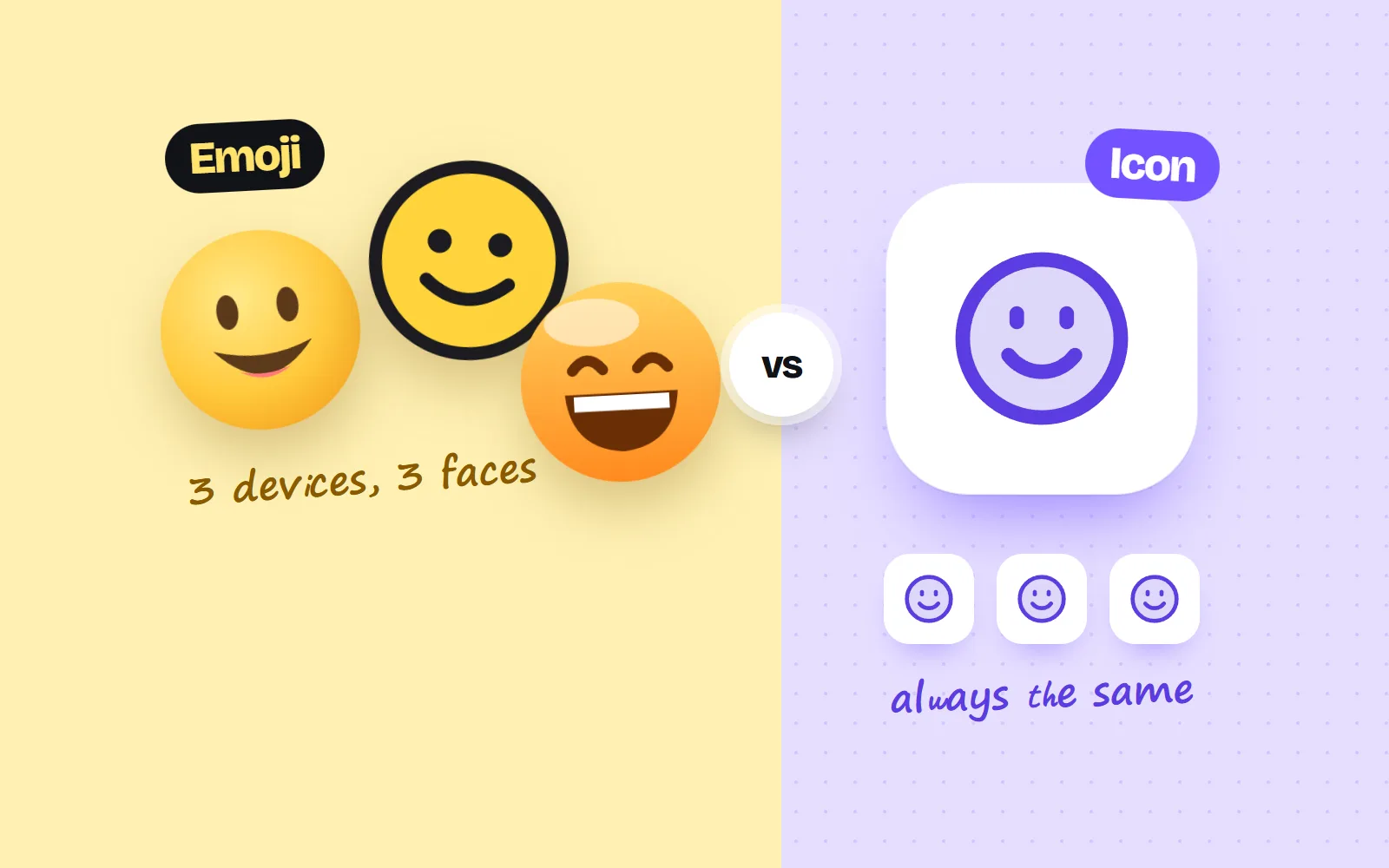
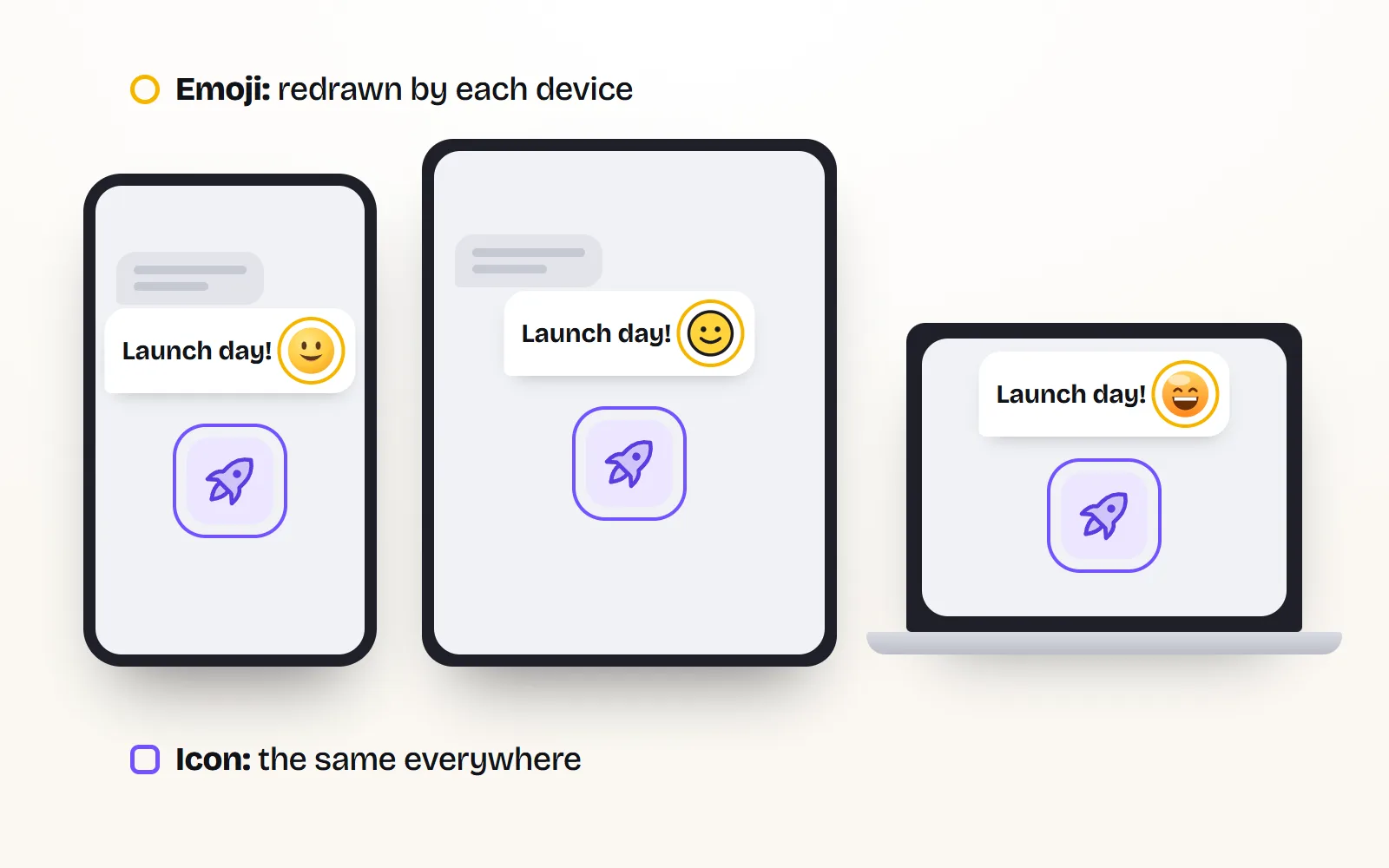
- Emoji change with the device: the same character is drawn by Apple, Google, Microsoft or Samsung, and screen readers read each one’s name aloud.
- Typing emoji is fine. Using the artwork is another matter: Apple and Samsung publish no licence for their emoji designs, so keep them off logos, merch and ads.
- Open emoji sets you can use commercially: Microsoft Fluent Emoji (MIT), Google Noto Emoji (Apache 2.0 images), Twemoji (CC BY 4.0, credit) and OpenMoji (CC BY-SA 4.0, credit and share-alike).
On this page 11 sections
Use emoji for tone in chat, comments and social captions, one or two at the end of a sentence. Use icons in documents, slides, apps, print and anywhere the look has to match: an icon looks the same on every device, takes your brand colours and can be labelled or hidden for screen readers. And if you want emoji artwork in a logo, a product or an ad, skip Apple’s and pick an openly licensed set like Microsoft Fluent Emoji (MIT) or Google Noto Emoji (Apache 2.0).
Most answers to this question are about etiquette. This one is about what actually happens to emoji and icons on other people’s screens, in screen readers and in print, and about the licences, which have changed a lot since the old "who owns emoji" articles were written.
What is the difference between an emoji and an icon?
An emoji is a character, like a letter. When you type 🚀 you send a code, and the reader’s phone or computer draws it with its own emoji font. An icon is a picture file you pick, such as a PNG or an SVG (a picture made of shapes, so it stays sharp at any size). You decide exactly how it looks, and it arrives looking that way.
| Emoji | Icons | |
|---|---|---|
| What you send | A character code | A picture file |
| Looks the same everywhere | Drawn by each device | Exactly as you chose |
| Match your brand colours | Fixed colours | Any colour |
| Screen readers | Read the emoji’s name aloud | You choose: label it or hide it |
| Sharp in print | Depends on the software | As SVG or PDF, at any size |
| Free to type or use | Typing, always | With an open licence like MIT |
| Fast to add in a chat | From the keyboard | Copy and paste |
Why do emoji look different on every phone and computer?
Because nobody ships one official drawing. The Unicode Consortium, which assigns the emoji codes, says plainly that it is not a designer of emoji images and has no say over how companies draw them. Apple, Google, Microsoft and Samsung each draw their own. So the smile you picked on an iPhone arrives on a Windows laptop as Microsoft’s smile, and on an Android phone as Google’s.
Usually the meaning survives. Sometimes it shifts: a face that looks cheeky on one device can look awkward on another, and a newly added emoji can show as an empty box on an older system. Microsoft’s style guide advises using emoji that work across devices for exactly this reason.
Do screen readers read emoji out loud?
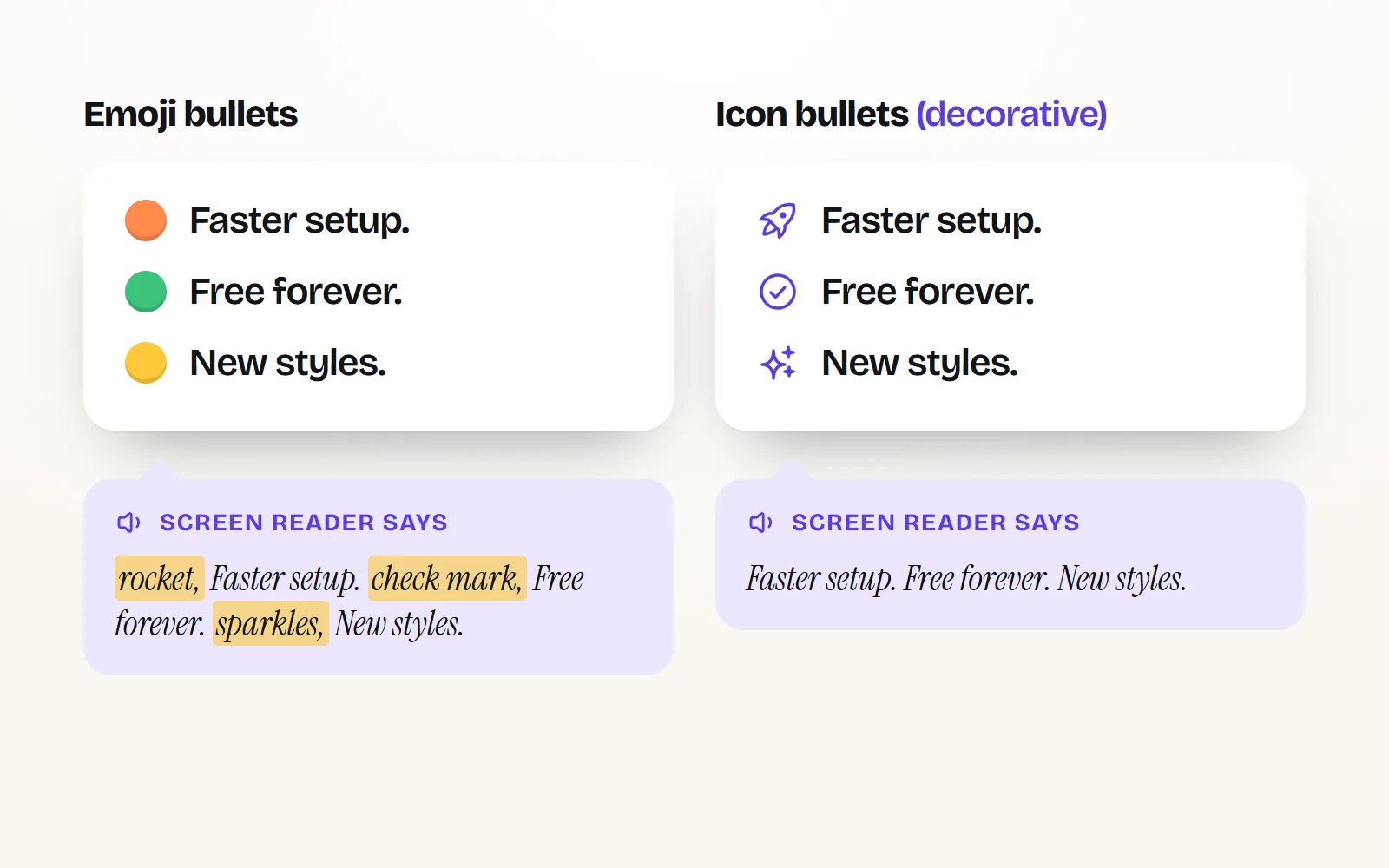
Yes. Each emoji has a short official name, and screen readers that support emoji read that name aloud. So "🚀 New feature" is heard as "rocket, New feature". One emoji is fine. A post where every line starts with an emoji becomes a string of "check mark button… backhand index pointing right… sparkles" between every sentence.
Icons give you the choice. A decorative icon next to a word can be hidden from screen readers completely, and an icon that stands alone (like a bin button) gets a label you write, such as "Delete file". Our guide to accessible icons shows how in each app.
Should I use emoji or icons in documents and slides?
Icons, almost always. A report or a deck is opened on other people’s machines and often turned into a PDF or printed. Emoji in it will look like whichever device made the PDF, they cannot take your brand colours, and they tend to look casual next to a chart. Icons stay put.
| Where | Emoji | Icons | Why |
|---|---|---|---|
| Team chat, comments | Tone matters more than looks | ||
| Social captions (LinkedIn, Instagram) | One or two | In the image | Text fields only take characters |
| Email body | Sparingly | Emoji look different in each mail app | |
| Slides and decks | Consistent look, brand colours, sharp on a projector | ||
| Reports, proposals, resumes | Printed or PDF, read by strangers | ||
| Website and app buttons | Needs labels, states and exact sizes | ||
| Logo, merch, ads | Licence risk | With an open licence | You need rights to the artwork |
For slides, our guide to icons in presentations covers sizes and colours, and the PowerPoint guide and Word and Google Docs guide show the copy and paste steps. If you are polishing a CV, see icons on a resume.
Are emoji OK in LinkedIn posts?
Yes, with a light touch. The post text is plain text, so emoji are the only pictures you can put in it, and they do help tone. Microsoft’s style guide has sensible rules that fit LinkedIn well:
- Put them at the end of a sentence or paragraph, not in the middle.
- Don’t replace words with them ("we 🚀 today" is hard to read and hard to hear).
- Don’t fake bullet points with an emoji at the start of every line.
- Keep it to about three per post, with a space between them.
- Skip them on serious topics such as layoffs, health or loss.
If you want a picture that matches your brand, put icons in the image or carousel instead, where you control every colour.
Write "Our new pricing is live, and the free plan got bigger. 🎉" One emoji, at the end, adding tone.
Start five lines with 🚀 ✅ 💡 🔥 👉. Every screen reader user hears five emoji names before your actual points.
Can I use Apple emoji commercially?
You can always type emoji in a post, an app or an ad’s caption: the character is a shared standard. Using Apple’s drawings as artwork (screenshotted into a logo, printed on a T-shirt, enlarged on a billboard) is a different thing, and that is where the answer is no.
- Apple’s macOS licence (Tahoe 26, section E) lets you use the bundled fonts to display and print content while running Apple’s software. It does not grant a licence to use the emoji artwork as your own graphic elsewhere.
- Emojipedia says licensing information for Apple and Samsung emoji is not publicly available, and that emoji images belong to their makers.
- Unicode says it does not own the vendors’ colour images and sends licence requests to the vendors.
So for a logo, merch, stickers you sell or an ad visual, use an openly licensed emoji set or icons you have rights to. Our post on free icons for commercial use explains the licence names in plain words. We are an icon library, not lawyers, so for anything high-stakes read the licence itself or ask a professional.
Which emoji sets can I use commercially?
| Emoji set | Licence | Commercial use? | Credit needed? |
|---|---|---|---|
| Apple | Proprietary, no public licence for the artwork | Not as artwork | n/a |
| Samsung | Proprietary, no public licence for the artwork | Not as artwork | n/a |
| Google Noto Emoji | Images: Apache 2.0. Fonts: SIL OFL 1.1. Flags: public domain | Yes | No visible credit |
| Microsoft Fluent Emoji | MIT | Yes | No visible credit |
| Twemoji (originally by Twitter) | Graphics: CC BY 4.0. Code: MIT | Yes | Yes, a credit |
| OpenMoji | CC BY-SA 4.0 | Yes | Yes, and share changes alike |
A few details matter. Noto says "most" image resources are Apache 2.0, so check the folder you take files from. Twemoji asks for a mention, for example in a README, an About page or a site footer, and its maintained copy now lives at github.com/jdecked/twemoji, following Unicode 17.0. OpenMoji’s share-alike rule means that if you remix its drawings, your remix carries the same licence. MIT and Apache ask you to keep the licence text when you pass the files on, but need no credit on the finished design.
What changed since the old answers?
- The 2017-era lists are out of date. They predate today’s open sets and the licence pages each project now publishes.
- Microsoft open-sourced Fluent Emoji under MIT, one of the most relaxed licences there is.
- Twemoji carries on as a community-maintained fork (version 17, for Unicode 17.0), still under CC BY 4.0.
- Style guides now explain the accessibility side: emoji names are read aloud, so emoji bullets and emoji in place of words are discouraged.
What if I want the emoji look, but in my brand colours?
That is where icons drawn in a playful style come in. Our Kawaii style gives everyday objects a tiny face, Sticker style looks like a die-cut sticker, and Soft 3D has the glossy, rounded feel of modern 3D emoji. Each comes with colour palettes you can change, and all of them are MIT, so they work on merch and ads with no credit.
Browse more on the free cute icons and free sticker icons pages, or start from party-popper and try every style on its page.
The short answer
Emoji for tone in chat and captions, at the end of a sentence and never as bullets. Icons for documents, slides, apps and print. For artwork in logos, products and ads, use an open emoji set (Fluent, Noto, Twemoji with credit, OpenMoji with credit) or icons under MIT. All 1000 with icons come in 34 styles, look the same everywhere and need no credit.
Frequently asked questions
Is it unprofessional to use emoji in documents?
In reports, proposals, resumes and printed material, yes, usually. They change look from device to device, cannot match your brand colours, and are read aloud by screen readers. Use icons there. In chat, internal posts and social captions, an emoji or two at the end of a sentence is fine.
Can I use Apple emoji commercially?
You can type them in posts and messages. Using Apple’s emoji artwork as a graphic in a logo, on merchandise or in an ad is different: Apple publishes no licence for that, and Emojipedia says licensing details for Apple emoji are not publicly available. Use an openly licensed set instead.
Which emoji are free for commercial use?
Microsoft Fluent Emoji is MIT licensed. Google’s Noto Emoji images are Apache 2.0 and its fonts are under the SIL Open Font License. Twemoji graphics are CC BY 4.0, which needs a credit. OpenMoji is CC BY-SA 4.0, which needs a credit and asks you to share changes under the same licence.
Should I use emoji as bullet points on LinkedIn?
Better not. A screen reader reads every emoji’s name before the line, so a list of rockets and check marks gets noisy fast, and Microsoft’s style guide advises against emoji at the start of lines as fake bullets. Use plain line breaks or a few words of heading instead.
Are emoji copyrighted?
The emoji characters themselves are a shared standard, so anyone can type them. Each company’s drawings of them are artwork owned by that company. The Unicode Consortium says it does not own the colour images and sends licence requests to the vendors.
Sources and notes
- Unicode Emoji FAQ (images, vendors, rights), checked November 2026
- Microsoft Style Guide: emoji, emoticons (updated October 2026)
- Apple Software License Agreement for macOS Tahoe 26, section E. Fonts
- Emojipedia: Licensing
- Google Noto Emoji (GitHub, licence section)
- Microsoft Fluent Emoji (GitHub, MIT licence)
- Twemoji, maintained fork (GitHub, CC BY 4.0 graphics)
- OpenMoji FAQ (CC BY-SA 4.0)
Facts about other icon sets were checked against their official sites in November 2026. Libraries change, so check the links above for the latest numbers.