a plain-English guide
Instagram highlight covers: the size, and how to add them without posting
Instagram never published a highlight cover size, so the guides argue. Here is what actually works in November 2026, how to set a cover straight from your camera roll, and how to make a matching set in ten minutes.
- There is no official size. Instagram’s help explains how to pick a cover photo but gives no pixel size. Every number you see online is a convention.
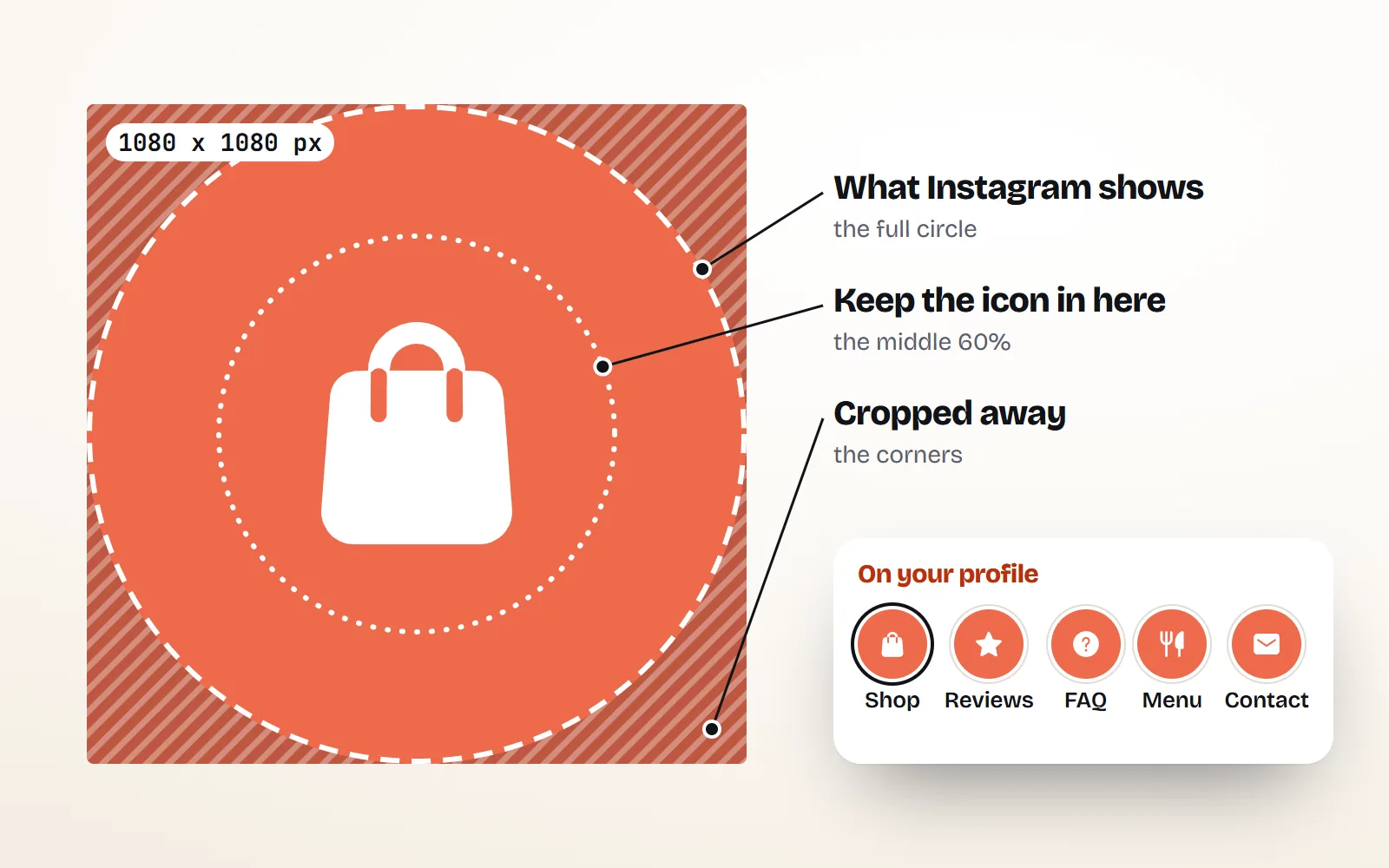
- What works: a square image of 1080 x 1080 px (or a 1080 x 1920 story-shaped one), with the icon centred and kept inside the middle 60% or so, because Instagram crops it to a small circle.
- No posting needed for the cover: Edit highlight > Edit cover > tap the gallery picture at the start of the row and choose an image from your camera roll. The highlight itself still needs at least one story.
- Matching sets: one icon style, one icon colour, one background colour. A with icons PNG download lets you set all three, at any size.
- Readable small: bold, simple icons (solid, kawaii, sticker) beat thin detailed ones. Check every cover at thumbnail size before you set it.
On this page 8 sections
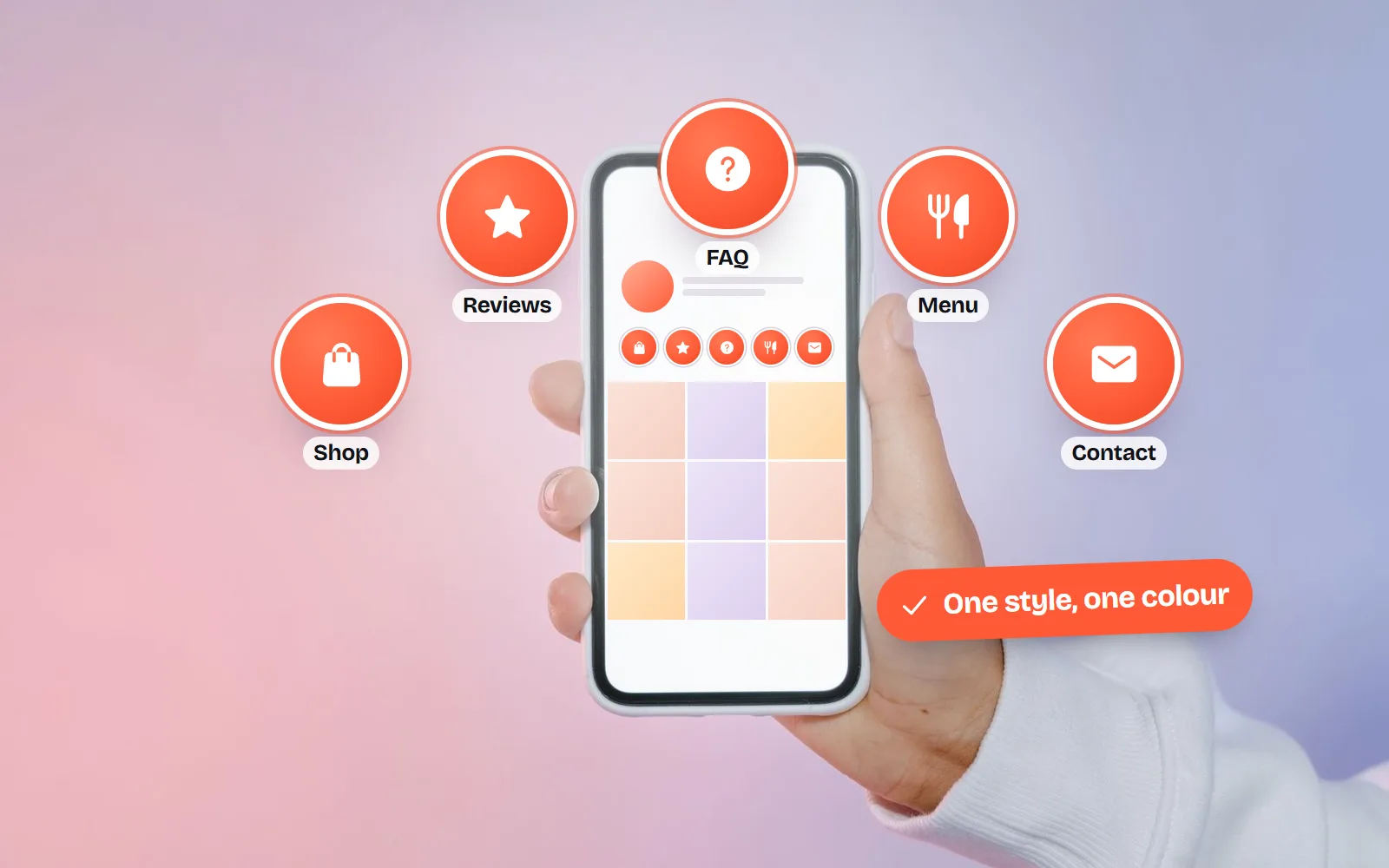
Instagram has never published an official highlight cover size, which is why the guides disagree. What works today is a square image of 1080 x 1080 px (or a 1080 x 1920 px story-shaped one) with the icon centred inside the middle 60% or so, because Instagram shows the cover as a small circle. And you do not have to post the cover: in Edit highlight > Edit cover, the gallery picture at the start of the row opens your camera roll.
Below: the size question answered honestly, the exact taps for adding a cover without posting it, and a ten-minute way to make a matching set from free icons in one style and colour.
What size should an Instagram highlight cover be?
Since highlights launched in December 2017, each one has appeared as a circle under your bio, and that circle is what you design for. Instagram does not say how many pixels it shows or how it crops, so the safe approach is simple: a big, sharp image with the important part in the middle.
| What | Use this | Who says so |
|---|---|---|
| Canvas for an icon cover | 1080 x 1080 px square | Convention (ours) |
| Canvas if you also post it as a story | 1080 x 1920 px (9:16) | Convention, widely used |
| Where the icon goes | Centred, inside the middle 60% of the width | Convention |
| Shape on your profile | A small circle: corners are cropped away | |
| File type | PNG or JPG, solid background | Convention |
| Official pixel size | None published | Not documented |
Why a square? When you pick a cover, Instagram lets you drag and zoom the image inside a circle. A square image fills that circle evenly, so lining up a set of covers takes seconds. A 1080 x 1920 image works too, but you have to zoom in on its middle every time.
How do I add a highlight cover without posting it to my story?
You only need the cover image saved on your phone. Download it (see the next section), save it to your photos, then:
- 1Open the highlight
On your profile, press and hold the highlight, or open it and tap More in the bottom corner.
- 2Tap Edit highlight, then Edit cover
You will see a row of the stories inside that highlight.
- 3Tap the gallery picture at the start of the row
It opens your camera roll. Pick your cover image.
- 4Line it up in the circle
Drag and pinch so the icon sits in the middle, then tap Done.
Making a brand-new highlight works the same way: on your profile tap New (or the plus button, then Story highlight), choose at least one story from your archive, tap Next, then Edit cover. Instagram’s help explains choosing a cover photo with Edit cover, but it does not mention the gallery button. It is there in current app versions on iPhone and Android, and it is the reason nobody needs to post covers any more.
One thing you cannot skip: a highlight is a collection of stories, so it needs at least one. Only the cover can come from outside your stories.
How do I make a matching set of highlight covers?
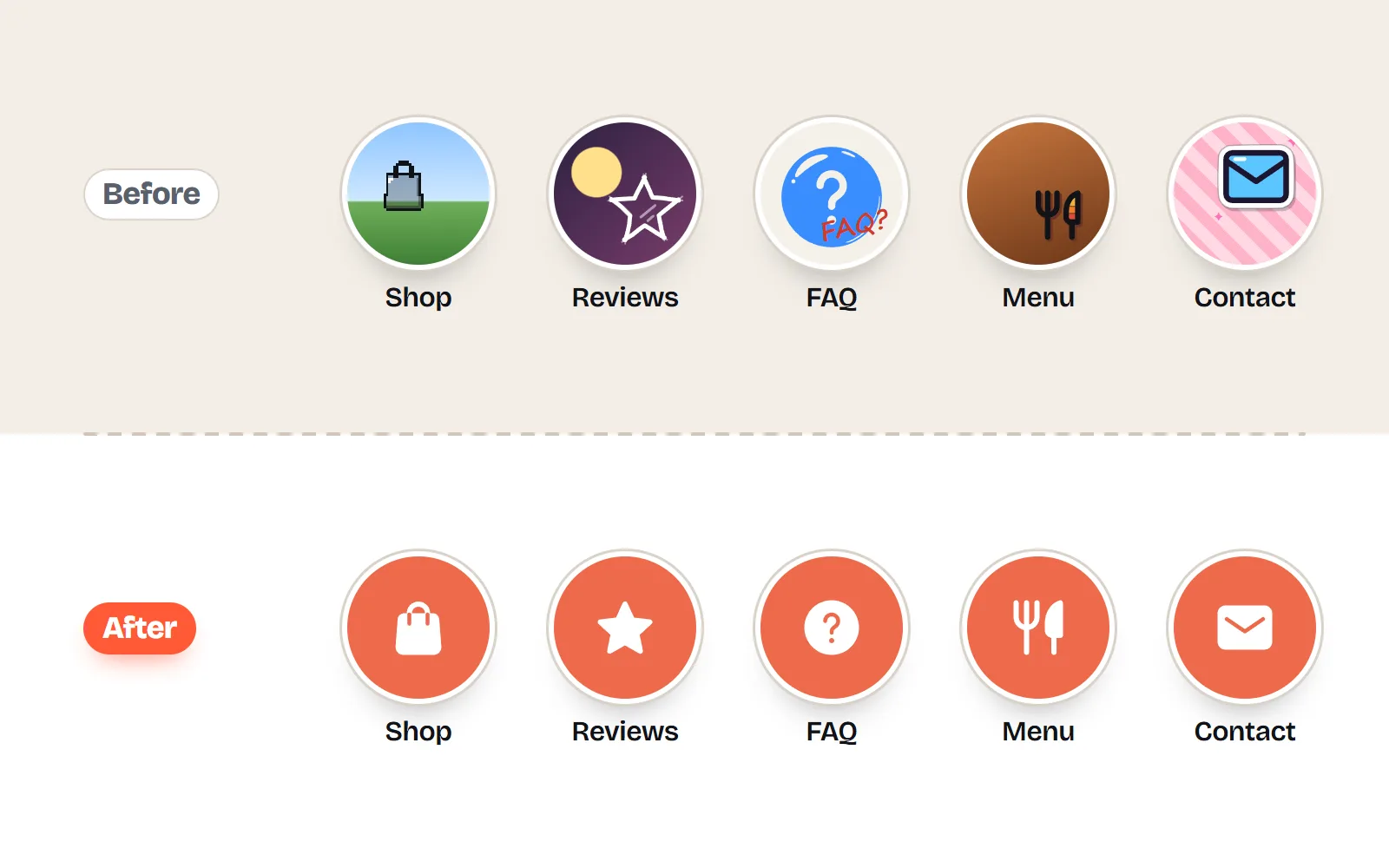
A row of covers looks deliberate when three things match: the icon style, the icon colour and the background colour. Every with icons icon page lets you set all three and download a PNG, so a full set takes about ten minutes:
- 1Pick one style for the whole set
Open any icon, such as the heart icon, and choose a style. Bold ones read best in a small circle: solid, kawaii, sticker or bento.
- 2Set the icon colour
Pick a swatch or type your brand’s hex code. Multi-colour styles like kawaii come with hand-picked palettes instead.
- 3Open Download and choose PNG
Under Options, set Background to Custom and type your background hex code. Set Size to Custom and type 1080 (or use 1024).
- 4Give it room
Set Space around to Large, so the icon stays well inside the circle.
- 5Repeat for each highlight
The page remembers your choices, so the next icons come out matching. Save them all to your phone.
Here are three ready-made sets you could build that way, one per style. Each tile links to its icon page:
Not sure which look fits your feed? The same icon comes in 34 styles, so you can try a few before you commit:
For more on picking one look and sticking to it, see aesthetic icons for your feed and how to keep icons consistent. The cute icons collection is a good place to browse if your account is playful.
Which icons work for common highlights?
Most accounts use the same dozen highlight names. These icons say each one without words, which matters because the name under the circle gets cut off after a few characters.
| Highlight | Icon | Why it works |
|---|---|---|
| Shop | shopping-bag | Recognised everywhere, solid shape |
| Reviews | star | Five-star ratings taught everyone this one |
| FAQ | help-circle | A question mark reads at any size |
| About | user | Simple head and shoulders |
| Menu | utensils | Fork and knife: food, instantly |
| Contact | Clearer than a phone for DMs and email | |
| Events | calendar | Dates and launches |
| Offers | tag | Price tag, no text needed |
| Travel | plane | Strong silhouette |
| Behind the scenes | camera | Works for process and studio stories |
How do I keep highlight covers readable at small sizes?
On a phone, a highlight circle is only about the size of a fingertip. A cover that looks lovely full screen can turn into a smudge at that size. Here is the same set shrinking down:
- One idea per cover. One icon, no words. The highlight already has a name underneath.
- Strong contrast. Dark on light or light on dark. Pale pink on cream looks gentle but disappears in the circle.
- Bold over thin. Fine line icons get faint when shrunk. If you love the line look, use a darker colour and a larger icon.
- Same size every time. Keep Space around the same for the whole set, so no icon looks bigger than the rest.
- Check it small. Before you set a cover, look at it on your phone at thumbnail size. If you squint, simplify.
Use one bold icon, centred, in one colour on a solid background, with the same spacing for every cover.
Put words, photos and tiny details on a cover, or mix three icon styles in one row. It looks busy and nothing reads.
Can I use free icons on a business account?
Yes, as long as the licence allows commercial use. with icons is MIT licensed, so you can use every icon on a business account, in ads and on products with no credit line. That matters here: there is nowhere sensible to put a credit on a highlight cover. Some free marketplaces do require one, so read their terms first. Our guides on free icons for commercial use and icons with no attribution explain the licences in plain English.
If you design in Canva instead, you can drop a downloaded PNG onto a 1080 x 1080 design and add your background there. Our Canva guide shows how.
The short answer
Instagram publishes no highlight cover size, so use a 1080 x 1080 px square with one bold icon in the middle 60%. Set it from your camera roll with Edit highlight > Edit cover > the gallery picture: no posting needed. For a matching set, pick one style and two colours, and download every cover with the same settings from the 1000 free icons.
Frequently asked questions
What is the Instagram highlight cover size in 2026?
Instagram does not publish one. Its help centre only explains how to choose a cover photo. A 1080 x 1080 px square works well for icon covers, and 1080 x 1920 px works if you also want to post the image as a story. Keep the icon centred inside the middle 60% so the circle crop never cuts it.
Can I add a highlight cover without posting it to my story?
Yes. Open the highlight, tap More (or press and hold it on your profile), tap Edit highlight, then Edit cover, and tap the gallery picture at the start of the row of stories. That opens your camera roll. Instagram does not document this button, but it is in current app versions and it is how most people set cover-only images.
Can I make a highlight with no stories in it?
No. A highlight is a collection of your stories, so it needs at least one story, from your current story or your story archive. Only the cover can come from your camera roll.
Why is my highlight cover blurry or cut off?
Usually the image is too small, or the icon sits too close to the edges. Use at least 1080 px across, keep the icon well inside the centre, and choose a simple icon with no thin lines or small text. Instagram does not say how it compresses covers, so start sharp.
Can I use free icons for a business Instagram account?
Yes, if the licence allows commercial use. with icons is MIT licensed: free for business accounts, no credit line needed. Some free marketplaces require a credit, which is awkward on a highlight cover, so check first.
Sources and notes
- Instagram Help Center: Add a story to your Story Highlights; Edit or delete a highlight (checked November 2026; no cover size given)
- Instagram: Introducing Stories Highlights and Stories Archive (December 2017)
- Outfeed: Instagram highlight covers, a summary of what Instagram does and does not document (1 October 2026)
- Snappa: How to make free Instagram highlight covers (2 January 2026; 1080 x 1920 convention, camera roll covers)
- with icons license (MIT)
Facts about other icon sets were checked against their official sites in November 2026. Libraries change, so check the links above for the latest numbers.