icons in code, the 2026 answer
SVG icons in CSS: ::before, backgrounds and data URIs
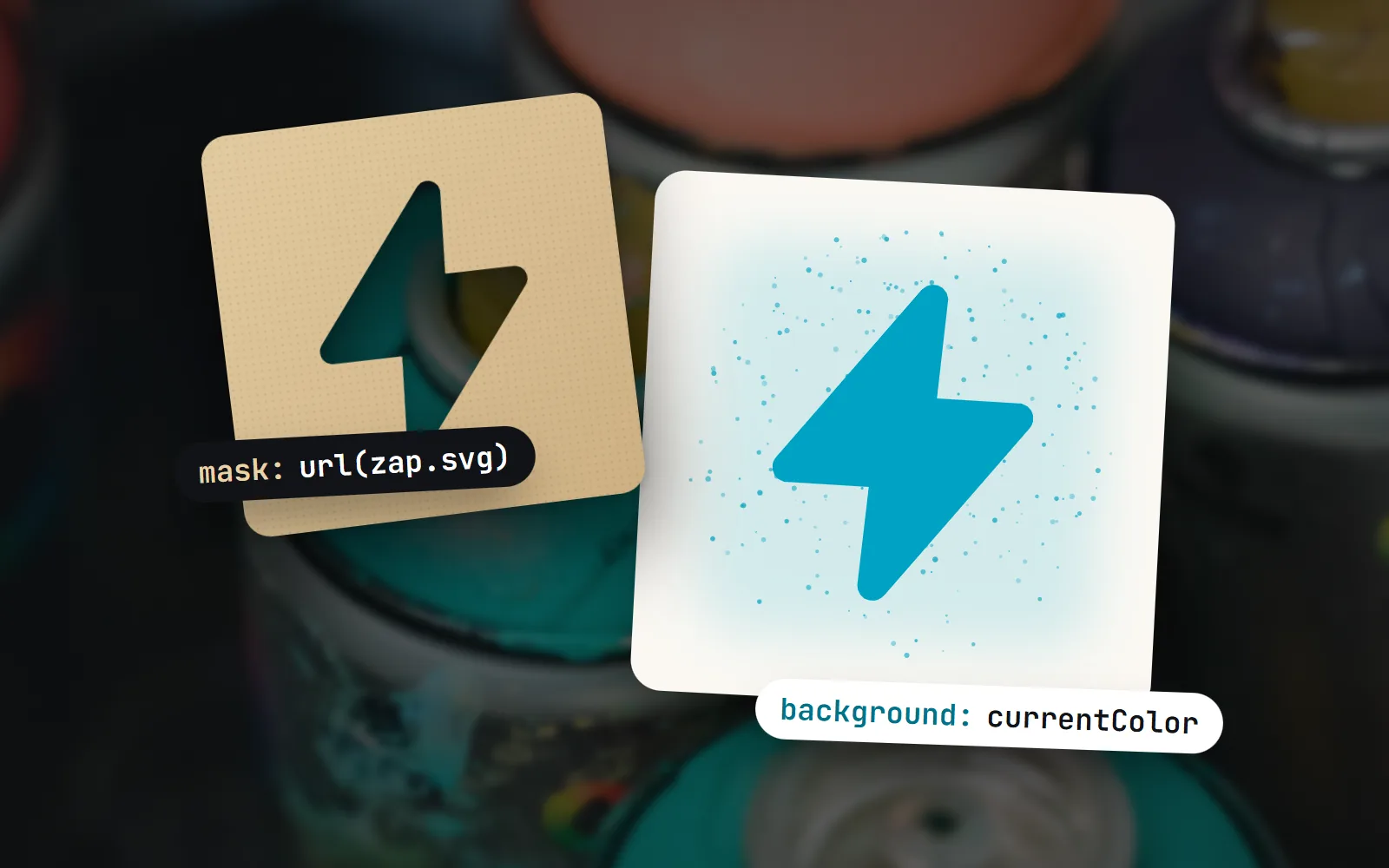
Old answers say you cannot colour an SVG in a pseudo-element, or tell you to base64 it “for IE”. Both are out of date. Here is the 2026 way: a CSS mask, a properly encoded data URI and one line of currentColor.
- Yes, an SVG works in
::before,::afterandbackground-image, either as a file URL or written straight into the CSS as a data URI. - To give it your text colour, use it as a mask:
content: "",background-color: currentColorandmask: url(…). Masks have been Baseline (every major browser) since December 2023. - URL-encode data URIs instead of using base64. Encode
#as%23, use single quotes inside the SVG, and the result stays readable and about a third smaller than base64. content: url(icon.svg)works but is the weakest choice: the image cannot take your text colour and does not size with CSS reliably.- with icons’ CSS classes,
<i class="with with-home">, use exactly this technique: an encoded SVG as a mask in::after, filled withcurrentColor.
On this page 9 sections
Yes, you can use an SVG icon in CSS ::before, ::after or background-image, either as a link to a file or written into the stylesheet as a data URI. To make it take your text colour, do not try to change its fill: use the SVG as a mask on an empty pseudo-element whose background-color is currentColor. For data URIs, URL-encode the SVG (write # as %23) instead of converting it to base64.
That is the short answer, and it works in every major browser today. Below we show the three ways to put an SVG in CSS, why fill cannot reach it, how to encode a data URI correctly, and how ready-made CSS icon classes like ours use the same trick. If you only need to recolour an icon in HTML, start with our post on changing an SVG icon’s colour with CSS instead.
Can I put an SVG in ::before or ::after?
Yes, in three ways. They look similar in code, but they behave very differently:
/* 1. content: url() inserts the SVG as an image */
.a::before { content: url("icons/check.svg"); }

/* 2. background-image paints the SVG behind an empty box */
.b::before {
  content: "";
  display: inline-block; width: 1em; height: 1em;
  background: url("icons/check.svg") center / contain no-repeat;
}

/* 3. mask cuts the box into the icon's shape, then currentColor fills it */
.c::before {
  content: "";
  display: inline-block; width: 1em; height: 1em;
  background-color: currentColor;
  mask: url("icons/check.svg") center / contain no-repeat;
}
The first is the shortest, but it is the least flexible: the browser draws the file at its own size and in its own colours, and setting a width on the pseudo-element does not reliably scale it. The second sizes nicely with em but keeps the file’s colours. The third is the one you want for interface icons: it sizes with the text and takes the text colour.
Why can’t I change the fill of an SVG in ::before?
An SVG referenced through url(), whether in content, background-image or a mask, is loaded as a separate image. MDN’s page on SVG as an image explains that it runs in its own sandbox: no scripts, no external files. Your page’s CSS stays outside too, so .c::before { fill: red } has nothing to paint.
This also explains a common surprise: currentColor written inside a data URI does not mean your text colour. Inside the image, it means the image’s own default colour, which is usually black. The fix is to move currentColor out of the SVG and onto the element, as background-color, and let the SVG only provide the shape.
How do I colour an SVG icon in a pseudo-element?
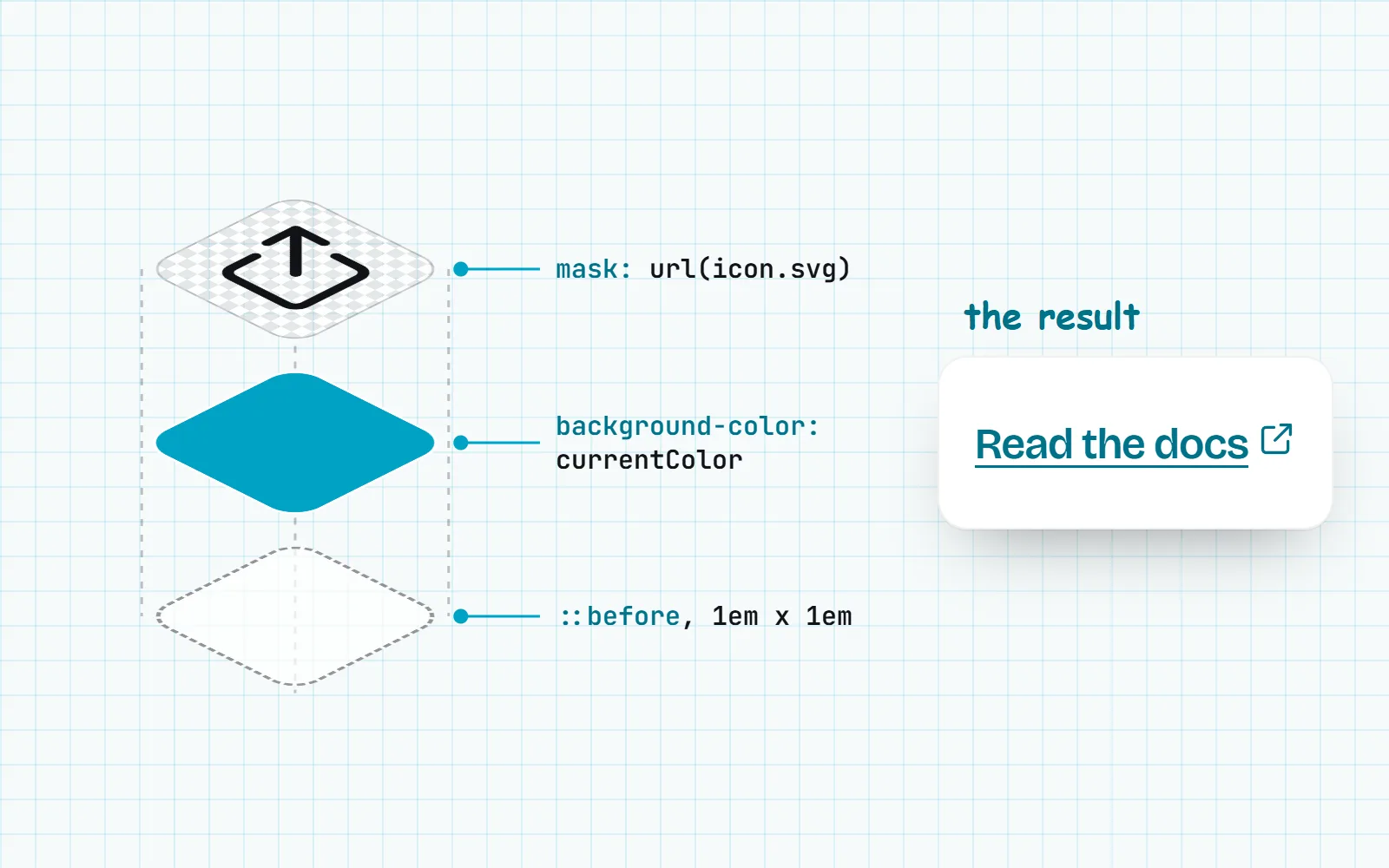
With the mask method above. A mask works like a stencil: wherever the SVG is drawn, the element’s background shows through, and everywhere else it is transparent. For image masks the browser only reads opacity, so the colours in the file do not matter: a black icon is a perfect stencil. Because the background is currentColor, the icon follows the text on hover, in dark mode and inside coloured buttons.
a.external::after {
  content: "";
  display: inline-block;
  width: 0.9em;
  height: 0.9em;
  margin-inline-start: 0.25em;
  vertical-align: -0.1em;
  background-color: currentColor;
  mask: url("icons/external-link.svg") center / contain no-repeat;
}
a.external:hover { color: #e11d48; }   /* link text and icon change together */
If you still support browsers older than late 2023, add the same value as -webkit-mask above the unprefixed line. The only real limit of a mask is that it gives one colour. For two-tone or full-colour icons, use the background-image method with the colours baked in, or inline SVG with CSS variables.
How do I write an SVG data URI for CSS?
A data URI puts the file’s contents right inside the url(), so there is no extra download. Start with data:image/svg+xml, and follow it with the SVG code, encoded so the browser reads it as one URL. MDN’s rule for data URLs is that reserved characters “must be percent-encoded”. For SVG in CSS that comes down to a few simple rules:
- Encode
#as%23. This is the one that breaks things: in a URL,#starts a fragment, so a hex colour like#ff0000silently cuts off the rest of your icon. - Use single quotes inside the SVG and double quotes around the
url("…"), so they never clash. - Keep the
xmlns(xmlns='http://www.w3.org/2000/svg'). An image without it may not draw at all. - Remove line breaks, and encode
%,<and>to stay strictly valid. Browsers tolerate raw angle brackets, but encoding them costs nothing.
/* readable, small, works everywhere */
.icon-check {
  mask: url("data:image/svg+xml,%3Csvg xmlns='http://www.w3.org/2000/svg' viewBox='0 0 24 24' fill='none' stroke='black' stroke-width='1.75' stroke-linecap='round' stroke-linejoin='round'%3E%3Cpath d='M4.5 12.5 L9.5 17.5 L19.5 6.5'/%3E%3C/svg%3E") center / contain no-repeat;
}
URL-encoded or base64?
Base64 turns every 3 bytes into 4 characters, so the same icon is about a third larger, and you can no longer read or tweak it. It became popular because old Internet Explorer handled it more reliably. Today, URL-encoded is the better default. Base64 is still handy when a tool or API only accepts base64, which is why our icon pages offer both.
Write data:image/svg+xml, plus the SVG with # as %23 and single quotes inside. Put currentColor on background-color and use the SVG as a mask.
Base64-encode icons “for IE”, leave raw # characters in hex colours, or put fill="currentColor" inside a data URI and expect it to follow your text.
You do not have to encode anything by hand. Every icon page on with icons has code exports for a ready Data URI (one line for url()), a Base64 version, and a CSS file with two classes: one that shows the icon in full colour as a background, and a -mask class that takes the text colour.
Is content: url() a good way to add an icon?
It is fine for a quick decoration in fixed colours, but it has three weak spots. The image cannot take your text colour. It is drawn at the size written in the SVG file, and changing the pseudo-element’s width or height does not reliably scale it. And generated content is awkward for screen readers: MDN warns that it is not part of the page’s content, so some assistive tools will not announce it while others might.
So treat pseudo-element icons as decoration. Use an empty content: "" with a mask, and if the icon carries meaning (an icon-only button, a warning sign), give the element itself a text label. Our guide to accessible icons shows how.
| Method | Takes the text colour | Sizes with CSS | Several colours | Best for |
|---|---|---|---|---|
Mask + background-color: currentColor | One colour | Interface icons in CSS: lists, links, buttons | ||
background-image: url() | As drawn in the file | Full-colour decorations, multi-colour styles | ||
content: url() | Drawn at the file’s own size | As drawn in the file | Quick, fixed decorations | |
| Inline SVG in the HTML | With CSS variables | Anything interactive or themable |
How do with icons CSS classes work?
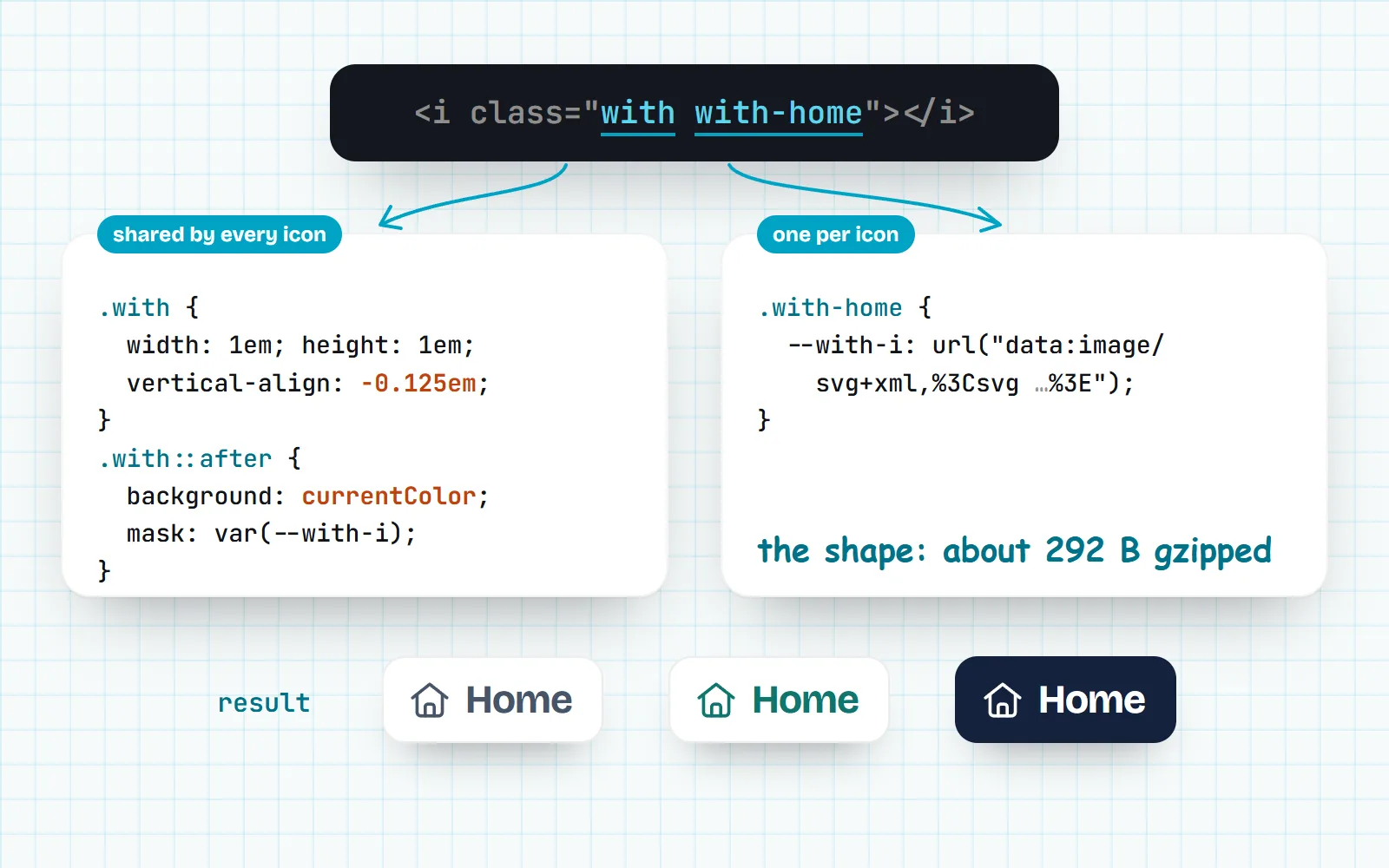
Our CSS classes are this whole post, packaged. You write an empty tag, and a tiny stylesheet does the rest:
<link rel="stylesheet" href="https://cdn.jsdelivr.net/npm/@withicons/classes@latest/dist/with-line.css">

<i class="with with-home"></i>
<button><i class="with with-download"></i> Download</button>
Under the hood, the .with base rule makes the tag an inline block 1em square, nudged down with vertical-align: -0.125em so it sits nicely beside text. Its ::after has background-color: currentColor and a mask read from a CSS variable. Each icon’s rule, such as .with-home, only sets that variable to an encoded SVG data URI. A line icon rule is typically about 464 bytes, or 292 bytes gzipped.
Because it is a mask over currentColor, the icon takes your text colour and font size, like an icon font did, but without a font file: nothing turns into boxes when fonts are blocked. Our post on icon fonts vs SVG explains why that matters. You can link one stylesheet per style, or add with-loader.js, which fetches only the icons the page uses.
Multi-colour styles show the limits of pure CSS honestly. In Sticker style or Retro style, the palette is painted as the element’s background-image with its default colours baked in, and the outline is the currentColor mask on top. Your --with-* colour variables cannot reach into a data URI, so to re-theme those colours you switch to the small JavaScript runtime (with-icons.js), which draws real inline SVG instead.
When should I use inline SVG instead?
CSS icons are great for decoration you control from a stylesheet: list bullets, link markers, icons inside search fields (see how to put an icon inside an input). Reach for inline SVG or a component when an icon needs several colours you change at run time, an animated stroke, or its own accessible name. Frameworks make that easy: @withicons/react, Vue, Svelte and the <with-icon> web component all render inline SVG with currentColor.
The short version
SVG in ::before, ::after and backgrounds works everywhere. Use it as a mask over currentColor to get your text colour, URL-encode your data URIs with %23 for #, and skip base64 unless a tool demands it. Or skip the encoding entirely: all 1000 with icons, in all 34 styles, come as ready CSS classes and as Data URI and CSS exports on every icon page.
Frequently asked questions
Can I change the fill colour of an SVG in ::before or ::after?
Not by changing fill, because an SVG in url() is a separate image that your CSS cannot reach. Instead, use the SVG as a mask on the pseudo-element and set background-color: currentColor. The icon then takes the text colour and changes on hover like text does.
Do I need to base64-encode an SVG for CSS?
No. Base64 was common advice for old Internet Explorer. Today every browser reads a URL-encoded SVG data URI: data:image/svg+xml, followed by the SVG with # written as %23 and single quotes inside. It is smaller than base64 and you can still read and edit it.
Why does my SVG data URI work in Chrome but not Firefox?
Almost always because of an unencoded #, usually in a hex colour like #ff0000. In a URL, # starts a fragment, so everything after it is cut off. Encode it as %23, or use currentColor or a named colour instead of hex.
Does currentColor work inside an SVG background image?
No. Inside a url() image, currentColor refers to the image’s own default colour, usually black, not your page’s text colour. To follow the text colour, put currentColor on the element’s background-color and use the SVG as a mask.
How do I make a CSS-only icon class?
Make an empty inline-block element 1em square, give its ::after (or itself) background-color: currentColor, and set a mask to the encoded SVG. Libraries such as @withicons/classes ship one rule per icon, so <i class="with with-home"></i> is all you write.
Sources and notes
- MDN: mask-image (Baseline Widely available since December 2023), checked November 2026
- web.dev: New to the web platform in November 2023 (Chrome 120 unprefixes mask properties)
- MDN: data: URLs (reserved characters must be percent-encoded), checked November 2026
- MDN: the content property (generated content and accessibility), checked November 2026
- MDN: SVG as an image, checked November 2026
- Stack Overflow: Change SVG fill color in :before or :after CSS (question 21509982)
- Stack Overflow: Inline SVG in CSS (question 10768451)
- with icons: @withicons/classes README, checked November 2026
Facts about other icon sets were checked against their official sites in November 2026. Libraries change, so check the links above for the latest numbers.